
What Is Chatbot Gpt For? How Do I Build One?
Chatbot Gpt is a pre-trained text based Large Language Model developed by OpenAI to help users fetch information, suggestions, brainstorm ideas, and more on a single platform.
 Varun Saharawat30 Oct, 2025
The introduction of Chatbot GPT has created widespread technological reform around the world with its impressive capabilities as a big storehouse of knowledge. Many big companies have already integrated this futuristic model on its platform.
The Chatbot GPT has applications in many areas such as customer support, assistant, education, etc. In this article, we will learn more about chatbot GTP and how to create a chatbot gpt model.
What is Chatbot GPT?
Chatbot GPT is a pre-trained Open AI generative advanced Large Language Mode (LLM) used to set up meaningful conversations with users across the globe. This advanced language model can answer any of your queries by lurking inside itself.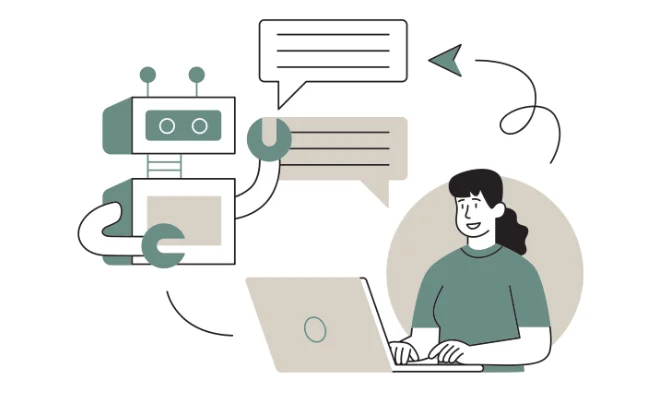 This text generation model was developed by OpenAI which has the ability to deliver relevant results for any queries raised by the users. This pre-trained model can fetch information from its storage and provide you with accurate results and information.
Also, check 12 Best Generative AI Tools in 2024
Use Cases of Chatbot GPT Model
Chatbot gpt models can be used in various applications and platforms such as hotel, healthcare, real estate, HR bot, study buddy and much more. Some of the major use cases of the Chatbot GPT model are given below.Customer Support
The Chatbot GPT model is used to provide automated assistance to users who visit the website or application and address their inquiries 24/7. It reduces the waiting time for users creating a better overall user experience. It can easily handle common queries of users on the product page.Personal Assistants
Chatbot Model can be used as your personal assistant and help in scheduling reminders and managing calendars. You can fetch important information directly from this model such as weather updates, latest news headlines, or some factual information.Content Creation
Create complete content with a wide variety of ideas at your disposal using the Chatbot Model. It can help you complete your assignments, blog posts, social media content, etc. Generate creative ideas using this model.Education and Training
Fetch important factual information from the Chatbot GPT model. It can provide answers, tutorials, and detailed explanations of any topic. You can use this model to learn different concepts and improve your existing skills with a lot of practice questions which can be generated by the Chatbot model.E-commerce
This language model can be used for providing product recommendation and tracking orders at real time. You can provide your product preference and get a list of relevant options.Also, check How to build a Ecommerce Website in 2024
Healthcare
Chatbot Gpt model is extensively used to extract information based on symptoms. It might also support the medicinal support required for a particular disorder. However, it is advised to consult an expert before moving ahead with the treatment.Easy Integration
Chatbot GPT models can easily be integrated with external platforms for providing messaging services, support, assistance and address frequent queries of users on the platform.11 Major Steps to Build a Chatbot GPT Model?
To build a chatbot GPT model you must have certain skills and knowledge before you start.Skills Required
- Programming language like Python, Javascript, or other based on your preference.
- Machine Learning algorithm
- API Integration
- Libraries and framework of Python
- Backend development
- Web development or Application development
1. Define the purpose and Scope
The first step is to define the use case of your Advanced language model. It is important to explicitly reveal what your chatbot model is going to deliver such as customer support, information fetching, assistance, knowledge storehouse, or others. When you know the use case of your chatbot model then you need to filter your target audience who have more chance of interacting with your chatbot model.2. Train your data
Chatbot GPT is a machine learning model and we need to have training data to train and prepare the GPT model. Data can be gathered, processed and cleaned after collecting it from multiple sources such as documentation, chats, social media, etc. Cleaning and preprocessing data is a must to generate better results. There are many natural language tools to clean and pre-processing collected data.3. Choose the Right tool and platform
First you have to fetch the OpenAI API from the OpenAI platform. Set up your environment and make your API request from OpenAI.| import OpenAI from "openai"; const openai = new OpenAI(); const completion = await openai.chat.completions.create({ model: "gpt-4o", messages: [ {"role": "user", "content": "write a haiku about ai"} ] }); |
4. Set up Development Environment
Install the required softwares and dependencies required to start developing your Chatbot gpt model.5. Set up API Access
Create an account on the OpenAI and generate an API key from the OpenAI dashboard for free. Never share your API key with anyone as it might expose your code.6. Develop the backend
Connect with the openAI API and select an appropriate GPT model such as gpt-4. Start working on the backend using the Python development environment.| import openai openai.api_key = 'YOUR_API_KEY' def get_response(prompt): response = openai.Completion.create( engine="text-davinci-004", prompt=prompt, max_tokens=150, n=1, stop=None, temperature=0.7, ) return response.choices[0].text.strip() |
7. Create the User Interface
Develop an attractive user interface model which users will interact with to send their queries. Use front end development modules to create an attractive user interface. Check a simple example using HTML, CSS and Javascript below.| <!DOCTYPE html> <html> <head> <title>Chatbot GPT</title> </head> <body> <div id="chatbox"> <div id="messages"></div> <input type="text" id="userInput" placeholder="Type a message..."> <button onclick="sendMessage()">Send</button> </div> <script src="app.js"></script> </body> </html> |
8. Integrate with the Backend
You have to integrate the user interface with the backend to be able to send user messages to the backend and retrieve results which can be displayed on the frontend screen. You can use the fetch API or AJAX to integrate with the backend.| async function sendMessage() { const input = document.getElementById('userInput').value; const response = await fetch('/chat', { method: 'POST', headers: { 'Content-Type': 'application/json' }, body: JSON.stringify({ message: input }) }); const data = await response.json(); document.getElementById('messages').innerHTML += `<p>You: ${input}</p>`; document.getElementById('messages').innerHTML += `<p>Bot: ${data.reply}</p>`; document.getElementById('userInput').value = ''; } |
9. Test your Model
Use different test cases and testing methods like functional testing, usability testing, performance testing and other testing methods to check whether the model is delivering accurate response from the openAPI. You must also ensure that your model successfully catches the user input on the platform.10. Deploy your Chatbot Model
Choose a hosting platform of your choice and deploy your language model. After deploying, check all the functionalities of your GPT model are working and intact as before.11. Scale and Maintain
You can enhance the ability of your Chatbot model and fill it with extra added features to increase the usability. Scale your model as per needs and get better results.What is a Chatbot Platform?
Chatbot GPT model platforms are online tools and frameworks which provide various features and functionalities to create AI chatbots. There are many options available while choosing an ideal platform as per your needs and requirements. OpenAI GPT-3 Playground, Botpress, Rasa, etc are some of the platforms you might want to check when you are looking for a Chatbot platform.Chatbot platform is much better than a Chabot Agency in terms of overall costing.Learn Generative AI with PW Skills
Enrol in our Generative AI Course and create advanced AI models. Master different frameworks, language, machine learning models, algorithms, etc within this 3 month online course. You will get to learn from the experts at PwC India. Learn prompt engineering, ethical AI use case, practical skills and strengthen your learning using various practice exercises at pwskills.com


🔥 Trending Blogs
Chatbot GPT FAQs
Q1. What is the Chatbot GPT Model?
Ans: Chatbot GPT model is a large language model developed by OpenAI as a text based model which can provide information, answer, and solutions to a query raised by a user.
Q2. What is the use of the Chatbot GPT model?
Ans: Chatbot GPT model has various use cases which might be the reason for its immense popularity.
Customer support
E commerce
Healthcare
Retail
Education
Personal Assistant
Content Creation
Generate ideas
Q3. How to build a chatgpt using GPT?
Ans: Follow the steps given below to create your chabot gpt model
Choose a base model from the Open AI such as GPT 4, GPT Mini, 3.0, LLaMA. Select a model based on your use case.
Prepare the training data
Train and configure platform
Fine tune the model with training and data
Create prompt
Deploy your Chatbot


Talk to a counsellorHave doubts? Our support team will be happy to assist you!



Get Free Counselling Today
and Clear up all your Doubts
Talk to Our Counsellor just by filling out the form.
Join 15 Million students on the app today!
 Live & recorded classes available at easeDashboard for progress trackingLakhs of practice questions

