

Lecture 9 : EventLoop, Callback Queue Callbacks, Promises in Javascript | FSD Free Course
 Varun Saharawat20 Jun, 2026
Learning how to handle these background operations is essential for building fast, reliable applications. This detailed article breaks down the core mechanisms of JavaScript Promises, showing you exactly how they interact with system architectures to deliver fluid web experiences without blocking execution.
What are JavaScript Promises?
A JavaScript Promise is an object that represents the eventual completion or failure of an asynchronous operation and its resulting value. Instead of passing nested callback functions directly into an operation, you attach handlers directly to the returned object. This allows your methods to return values similarly to synchronous functions, pledging to supply a final result somewhere in the future.
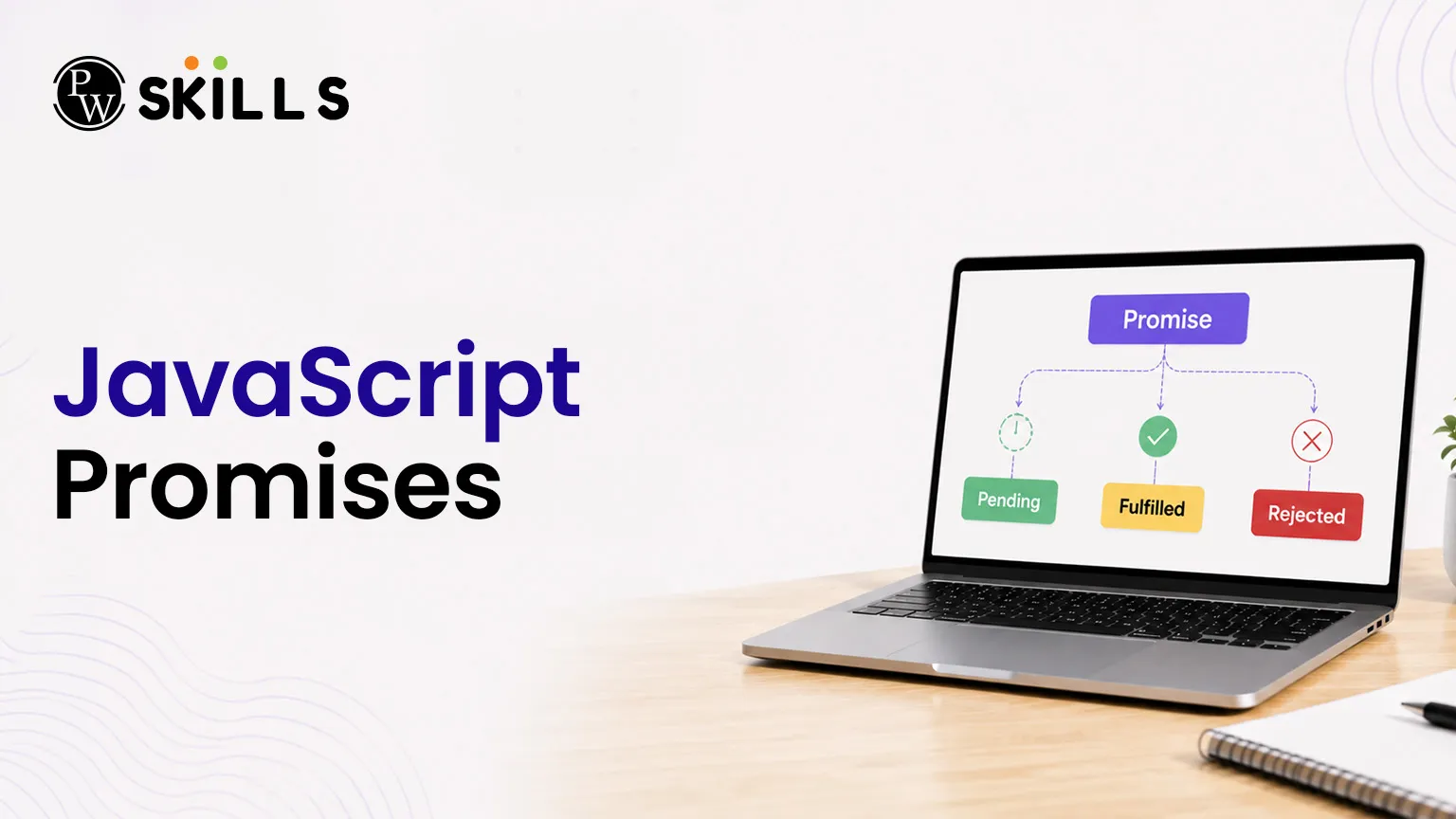
Every JavaScript Promise exists in one of three mutually exclusive states:
-
Pending: The initial state where the operation has started but has not completed or failed yet.
-
Fulfilled: The asynchronous task completed successfully, triggering the .then() handler.
-
Rejected: The asynchronous operation failed due to an error, triggering the .catch() handler.
Once a state changes from pending to either fulfilled or rejected, the outcome becomes final. A settled promise cannot change its result, ensuring your data flow remains safe and predictable.
How do Asynchronous JavaScript Promises Handle Heavy Web Tasks?
JavaScript is a single-threaded programming language. This means it can run only one piece of code at a time on its main thread. If large tasks like loading big images, downloading huge files, or fetching large amounts of data are handled in a normal synchronous way, the browser can become slow or even freeze until the task finishes.
To avoid this problem, asynchronous JavaScript moves long-running tasks away from the main thread. These tasks are handled by browser Web APIs or runtime environments in the background. This allows the main thread to continue running other code and keeps the web page responsive for users.
+--------------------------------------------------------------+
| Browser Environment |
| |
| +------------------+ +---------------------+ |
| | Call Stack | | Web APIs | |
| | | | | |
| | setTimeout() --------+--------> (Timer Starts) | |
| | fetch() -------------|--------> (Network Request) | |
| +--------^---------+ | +----------+----------+ |
| | | | |
| Event | | | Task |
| Loop | | | Completes |
| | v v |
| +--------+---------+ +---------+ +-----+----------+ |
| | Microtask Queue | | Macro | | Callback Queue | |
| | | | Task | | | |
| | (Promises) | | Queue | | (setTimeout) | |
| +------------------+ +---------+ +----------------+ |
+--------------------------------------------------------------+
When an asynchronous function starts, JavaScript sends the time-consuming work to the background and immediately moves on to the next task. This prevents the browser from stopping or becoming unresponsive while waiting for the operation to finish.
For example, when you use fetch() to get data from a server, the network request is handled by browser APIs outside the main thread. JavaScript does not wait for the response. Instead, it continues executing the remaining code.
After the background task is completed, the result is returned through a callback, promise, or async function. Promise-related tasks are placed in the Microtask Queue, while tasks like setTimeout() are placed in the Callback Queue. The Event Loop constantly checks these queues and moves completed tasks back to the Call Stack when it is safe to execute them.
This process allows JavaScript promises to handle heavy web tasks efficiently without blocking the main thread. As a result, users can continue scrolling, clicking buttons, filling forms, and interacting with the website while data is being loaded in the background. This improves performance, creates a smoother user experience, and helps modern web applications manage multiple operations at the same time without freezing the browser.
Role of the Event Loop in JavaScript Promises
The Event Loop in JavaScript works like a traffic manager for your code. Its main job is to handle different tasks and make sure everything runs smoothly, while JavaScript uses only one main call stack. It constantly watches the execution environment and checks which task should run next.
The Event Loop keeps running in a continuous cycle and makes sure tasks are executed in the correct order without blocking the application.
How the Event Loop Works
The Event Loop follows these simple steps:
1. Execute Synchronous Code
First, JavaScript runs all synchronous code that is currently inside the Call Stack.
This includes:
-
Variable declarations
-
Function calls
-
Calculations
-
Regular statements
JavaScript executes these tasks one by one until the Call Stack becomes empty.
2. Check the Microtask Queue
After the Call Stack is empty, the Event Loop checks the Microtask Queue.
This queue mainly contains:
-
Resolved Promises
-
Rejected Promises
-
Promise handlers such as .then()
-
.catch()
-
.finally()
If there are pending microtasks, JavaScript executes all of them before moving to any other queue.
Because of this priority, Promise-related tasks run faster than many other asynchronous operations.
3. Check the Callback Queue
Once both the Call Stack and Microtask Queue are completely empty, the Event Loop checks the Callback Queue, also called the Macro Task Queue.
This queue usually contains tasks from:
-
setTimeout()
-
setInterval()
-
User events
-
Other callback-based operations
The Event Loop takes the next waiting task and moves it to the Call Stack for execution.
4. Repeat the Process Continuously
After completing one cycle, the Event Loop starts the same process again.
It continuously:
-
Checks the Call Stack
-
Checks the Microtask Queue
-
Checks the Callback Queue
-
Executes waiting tasks
This cycle continues as long as the application or web page remains active.
Why the Event Loop is Important for JavaScript Promises?
Promises depend heavily on the Event Loop to work correctly. When a Promise is resolved or rejected, its handler functions are placed in the Microtask Queue. The Event Loop gives this queue higher priority than the Callback Queue, allowing Promise-related tasks to run as soon as the Call Stack becomes empty.
This mechanism helps JavaScript handle multiple asynchronous operations efficiently while keeping the application responsive. It allows data fetching, timers, user interactions, and background tasks to work together smoothly without blocking the main thread or freezing the browser.
JavaScript Promises Constructor And Executor Function
To build a production-ready workflow, we use the built-in Promise constructor. This constructor takes an executor function that contains the main working logic. The executor automatically gets two system callback functions: resolve and reject.
// Defining an asynchronous resource check
const verifyUserAccess = new Promise((resolve, reject) => {
const accessGranted = true; // Simulating an access authentication check
if (accessGranted) {
resolve("Access successfully granted.");
} else {
reject("Access denied: Invalid credentials.");
}
});
// Consuming the created promise
verifyUserAccess
.then((successMessage) => {
console.log("Success: " + successMessage);
})
.catch((errorMessage) => {
console.error("Error: " + errorMessage);
})
.finally(() => {
console.log("Authentication verification process finished.");
});
How Does JavaScript Promise Chaining Handle Multiple Asynchronous Tasks?
A key benefit of JavaScript is that you can connect multiple async steps one after another. This is called promise chaining. It works because every .then() returns a new Promise.
// Chaining multiple asynchronous tasks cleanly
function fetchUserData() {
return fetch("https://jsonplaceholder.typicode.com/users/1")
.then((response) => {
if (!response.ok) {
throw new Error("Network response was not successful");
}
return response.json();
});
}
function displayUserProfile() {
fetchUserData()
.then((userData) => {
console.log("User details received: ", userData.name);
return userData.id;
})
.then((userId) => {
console.log("Fetching posts for user ID: " + userId);
// You can safely return another promise or value here
})
.catch((error) => {
console.error("Operation failed: " + error.message);
});
}
displayUserProfile();.
How to Manage Concurrent Tasks with JavaScript Promise Methods?
When working with large web apps, you often need to run many async tasks at the same time. The global Promise object gives built-in static methods to handle these tasks in a simple way.
-
Promise.all(): This method takes an array of promises and waits for all of them to complete successfully. It returns an array of all results in the same order. But if even one promise fails, the whole group fails at once, and other results are ignored.
-
Promise.allSettled(): Unlike all(), this method waits for all promises to finish, no matter if they pass or fail. It returns an array of objects showing the status, result, or error for each promise.
-
Promise.any(): This method waits for the first successful promise and returns its result. It ignores failed promises. If all promises fail, it returns an AggregateError with all error reasons.
-
Promise.race(): This method returns the result of the first promise that finishes, whether it is success or failure. It is useful for setting time limits on slow requests.




FAQs
1. What is the fundamental difference between a callback and a JavaScript Promise?
2. Why does a JavaScript Promise execute before a setTimeout timer?
3. What happens if I forget to add a catch block to a JavaScript Promise?
4. Can a settled JavaScript Promise change its internal state or value?
5. Does using asynchronous JavaScript speed up heavy computational math tasks?






Get Free Counselling Today
and Clear up all your Doubts
 Live & recorded classes available at easeDashboard for progress trackingLakhs of practice questions

