
Python String Methods: Complete Overview For Beginners
Learn everything about Python String methods which can be used to translate, convert, capitalize, find, replace and perform various operations on strings without making any changes in the string. Let us know more about Python string methods in this blog.
 Varun Saharawat30 Oct, 2025
There are a set of Python String Methods which can be used with strings and very helpful for developers while working with Strings in Python programming language. You can use Python string methods to return new values without making any change in Strings.
After you gather knowledge in Python Strings then you can start learning Python String methods to boost your productivity while interacting with this element in Python. In this article we will learn about some of the built-in methods available in Python Strings.
What Are Python Strings?
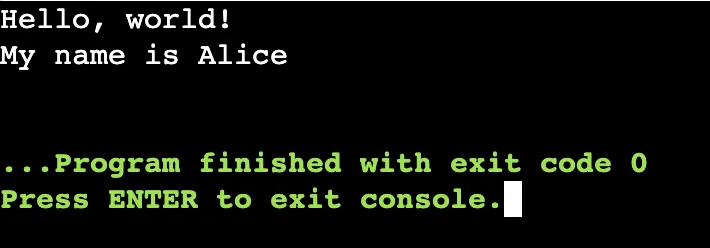
Python Strings is a sequence of characters which is used to store and represent characters. Python strings can be used to represent textual data using a sequence of characters enclosed in either single quotes or double quotes. Python provides built-in methods for operating Strings to work efficiently. For example, consider a string “PWSkills” containing a string of characters “P”, “W”, “S”, “k”, “i”, “l”, “l”, “s”. Python strings are arrays of bytes using unicode characters. We can use single quotes and double quotes to represent a string in Python.| # 1. Creating a string greeting = "Hello, world!" name = 'Alice' # 2. Printing a string print(greeting) print("My name is", name) |
Output
 |
Different Methods In Python Strings
Let us know about the Python string methods in detail below this blog.| Method | Description |
| lower() | Converts string to lowercase |
| upper() | Converts string to uppercase |
| capitalize() | Capitalizes the first letter |
| title() | Capitalizes the first letter of every word |
| strip() | Removes whitespace from both ends |
| lstrip() | Removes whitespace from the left side |
| rstrip() | Removes whitespace from the right side |
| replace(old, new) | Replaces parts of a string |
| split(separator) | Splits string into a list using a separator |
| join(iterable) | Joins elements of a list with a string separator |
| find(sub) | Returns index of first occurrence, or -1 if not found |
| index(sub) | Like find(), but raises error if not found |
| count(sub) | Counts how many times a substring occurs |
| startswith(sub) | Checks if string starts with a substring |
| endswith(sub) | Checks if string ends with a substring |
| isalnum() | Returns True if all characters are alphanumeric |
| isalpha() | Returns True if all characters are alphabetic |
| isdigit() | Returns True if all characters are digits |
| isspace() | Returns True if all characters are whitespace |
| islower() | Returns True if all cased characters are lowercase |
| isupper() | Returns True if all cased characters are uppercase |
Transforming Text Case with Python String Methods
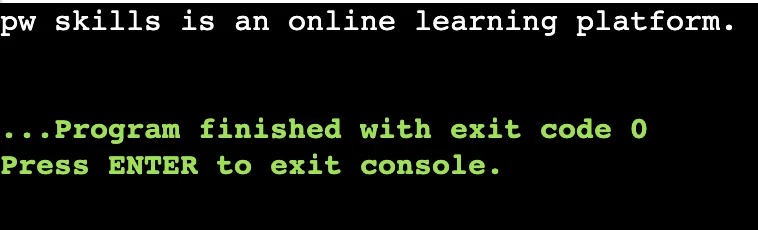
We can easily convert an entire sentence into a lowercase or uppercase variable using the simple upper() and lower() method. Python lower() Method This Python string method is used to convert the entire statement, paragraph, heading, or a simple variable into lower case. Each word whether it is the beginning or ending contains only lowercase.| var = “PW Skills is an Online Learning Platform.” var_new = var.lower() print (var_new) |
Output
 |
Python upper() method
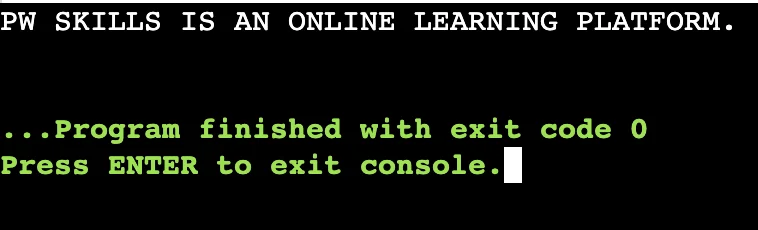
This method is used to convert the entire statement, heading, paragraphs, or other variables into complete uppercase letters. This method is very useful when the problem given is case sensitive.| var = “PW Skills is an Online Learning Platform.” var_new = var.upper() print (var_new) |
Output
 |
Python String Methods: Replacing a Word In Python String
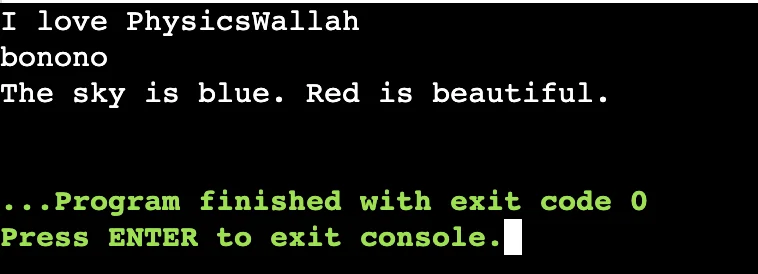
The Python replace method is used to replace all occurrences of a substring in a string with the new substring. Let us understand the working of replace() method in Python and how to use it in Python programming.| string. Replace (old, new) |
| text = "I love PWSkills" new_text = text.replace("PWSkills", "PhysicsWallah") print(new_text) word = "banana" print(word.replace("a", "o")) sentence = "The sky is blue. Blue is beautiful." print(sentence.replace("Blue", "Red")) |
Output
 |
How to Use the Python Split () Method?
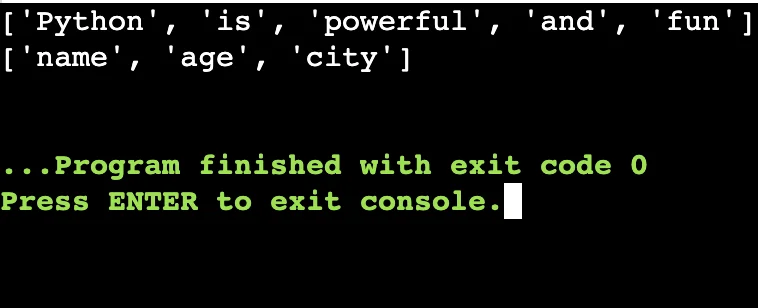
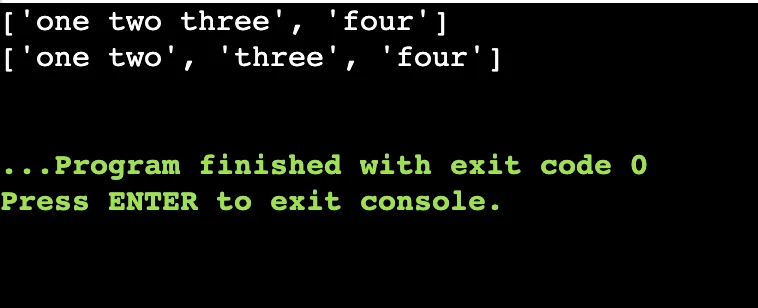
You can use the Python Split() and rsplit() method when you need to split a part of a string in Python. You can do it using a simple predefined method. The rsplit() method can split a part of string from the end.| text = "Python is powerful and fun" print(text.split()) csv_data = "name,age,city" print(csv_data.split(",")) |
Output
 |
| text = "one two three four" print(text.rsplit(" ", 1)) print(text.rsplit(" ", 2)) |
Output
 |
How to Find a Value Using Python String Methods?
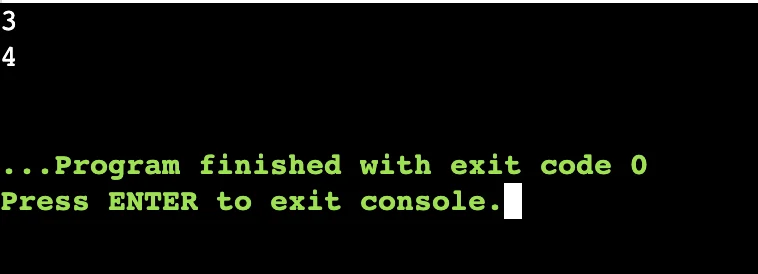
You can easily find a value using Python String methods easily in a string. We have to use an easy find() method to search for the string for a specified value and return the position of where it was found.| string.find (substring) |
| text = "PW Skills" print(text.find("Skills")) |
| string.find(substring, start, end) |
| print(text.find("k", 0, 5)) |
Output
 |
| string.rfind(substring, start, end) |
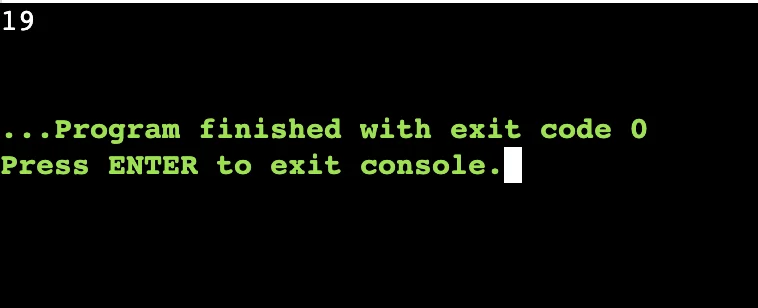
| text = "Look for the last 'o' in this sentence." index = text.rfind("o") print(index) |
Output
 |
Read More: Python If Else Statement: Complete Explanation For Beginners
Find Whether a Variable Is An Alphabet/Integer/Identifier In Strings?
You can use Python string methods to easily find whether a given character in a string is decimal, ascii, alphabet, or identifier. The return value will either be true or false depending on whether the condition satisfies or not.| isalpha() | Checks for alphabetic value in the string. It will return true if all values are alphabets in the string. |
| isalnum() | Checks for alphanumeric values in the string. It will return true if all values are alphabets as well as numerals in the string. |
| isascii() | Checks for ascii value in the string. It will return true if all characters are ascii in the string. |
| isdigit() | Checks for digit value in the string. It will return true if all characters are digits or numbers in the string. |
| isidentifier() | Checks for identifier value in the string. It will return true if all characters are identifiers in the string. |
| text1 = "Python3" text2 = "Python 3" text3 = "12345" text4 = "Hello!" print(text1.isalnum()) print(text2.isalnum()) print(text3.isalnum()) print(text4.isalnum()) |
Output
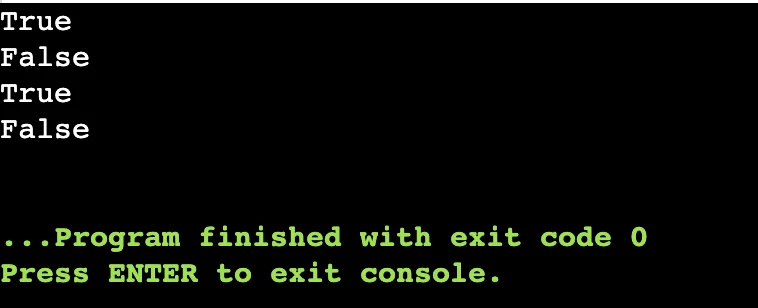 |
How to Return Counting using the Python String Methods?
You can use the python count() method to return the number of times a specified value occurred in a string. You can also specify the starting and ending point of the string using this Python method. Let us understand this concept with an example below.| string.count(substring, start, end) |
| text = "banana" print(text.count("a")) print(text.count("na")) print(text.count("a", 2, 5)) |
Output
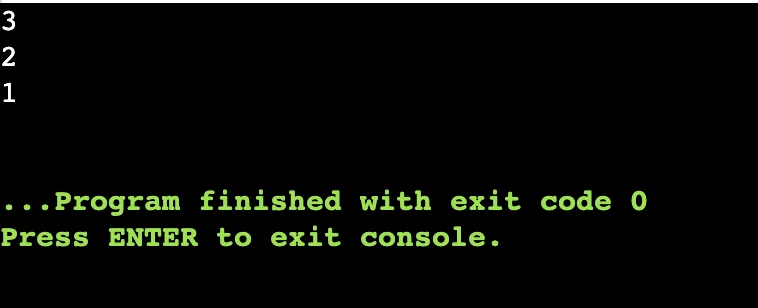 |
Learn Python Programming with PW Skills
Become a master in Python development with the knowledge of Data Structures in Python. Get yourself enrolled in PW Skills Decode DSA With Python Course and get in-depth tutorials, practice exercises, real world projects and more with this self paced learning program. You will develop concepts through industry oriented curriculum and prepare for competitive programming with this course. Get an industry recognised certification from PW Skills after completing the course.



🔥 Trending Blogs
Python String Methods FAQs
Q1. Does Python provide predefined methods?
Ans: Yes Python offers various predefined methods which can be used to quickly draw results in a single line code.
Q2. What are some methods in Python Strings?
Ans: Some methods in Python string methods are upper(), lower(), isdigit(), translate(), split() and many more. Check this blog to know more about Python string methods.
Q3. Is String mutable or immutable in Python?
Ans: Python strings are immutable and hence cannot be changed once they are created.
Q4. Is StringBuilder immutable?
Ans: Python StringBuilder method is a built-in type of method which is an mutable tpe. It can delete parts of strings, insert or replace characters and easily make changes in strings.


Talk to a counsellorHave doubts? Our support team will be happy to assist you!



Get Free Counselling Today
and Clear up all your Doubts
Talk to Our Counsellor just by filling out the form.
Join 15 Million students on the app today!
 Live & recorded classes available at easeDashboard for progress trackingLakhs of practice questions

