

How to Send an Email for a Job Application in 2026: Format and Examples
 Hardik Gupta24 Sept, 2026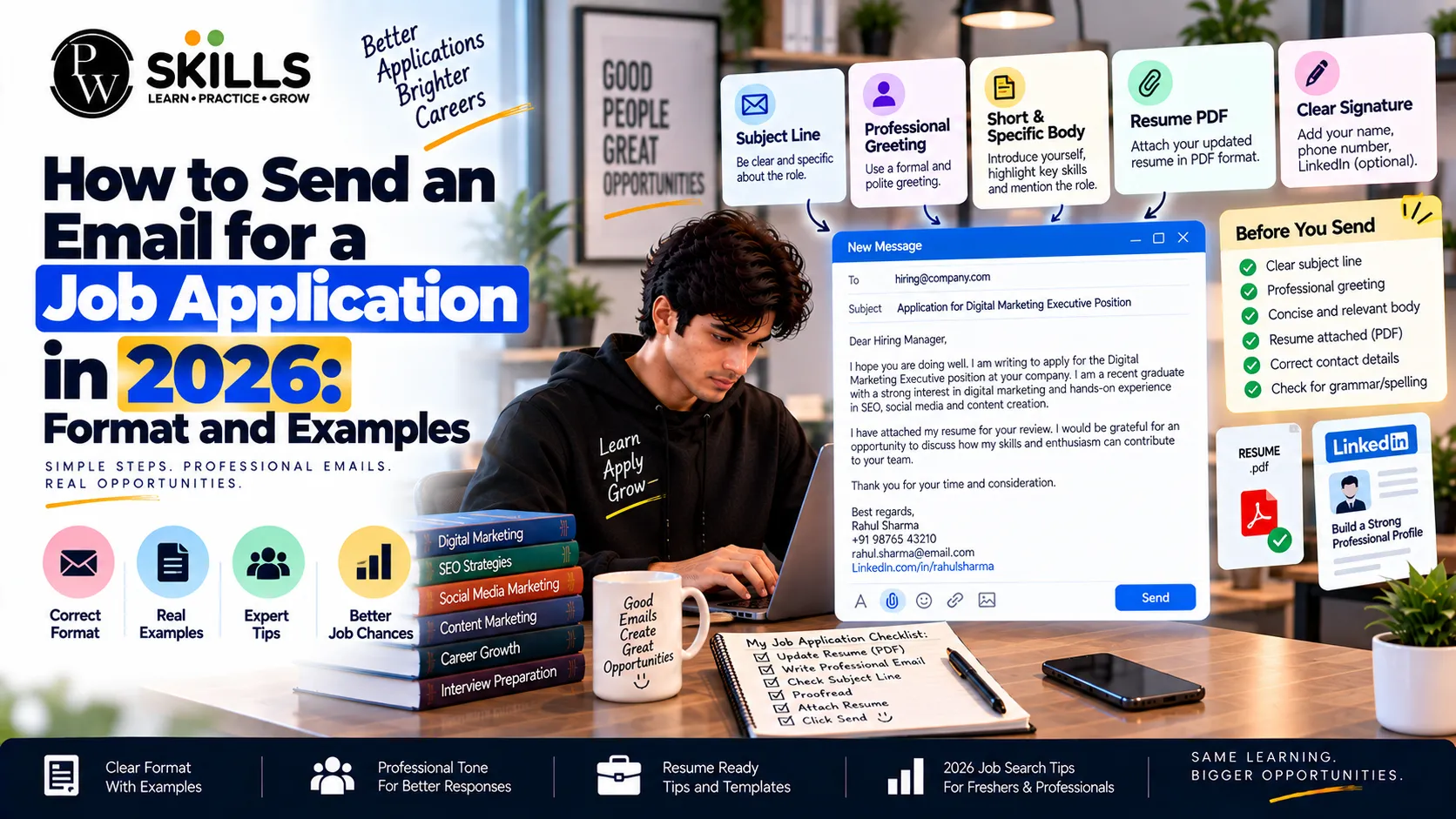
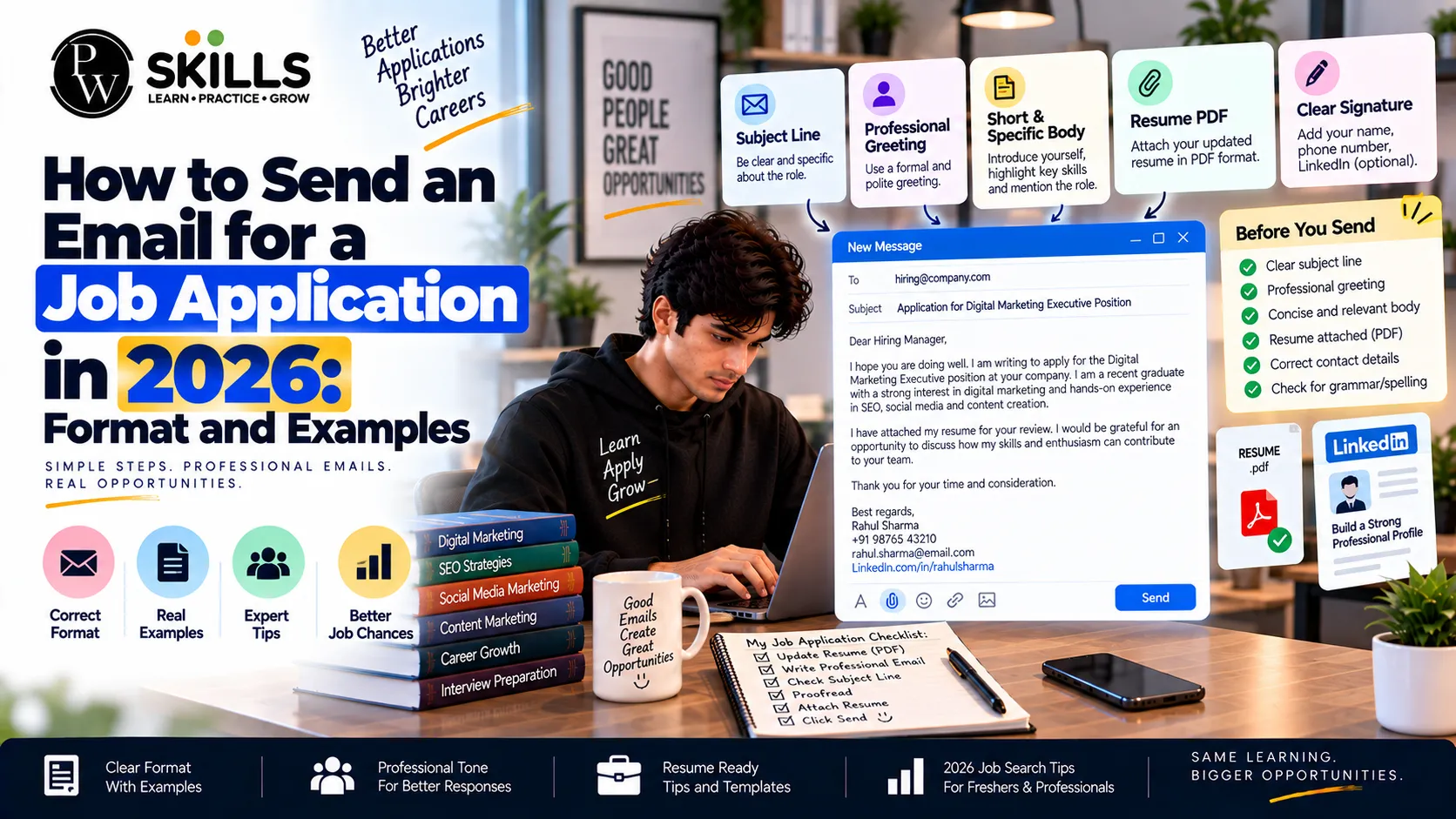
Knowing how to send email for job application messages correctly can make your job search more professional. A well-written job application email should be short, clear, and related to the role you want.
It should include a suitable subject line, a brief introduction, relevant skills, required attachments, and a polite closing. Avoiding long messages, unclear wording, and missing documents can help recruiters understand your application quickly.
Why is the Job Application Email Format Important?
Using a clear job application email format helps recruiters find the information they need quickly. Hiring teams may receive many applications, so a simple structure can make your message easier to scan.
-
Professional First Impression: A clear subject line and polite opening show attention to detail.
-
Easy to Read: Short paragraphs help recruiters understand your main points quickly.
-
Relevant Information: A focused email highlights the skills and experience connected to the role.
-
Organised Documents: Correctly named and attached files make it easier for the recruiter to review your application.
A job application email should also follow the instructions given in the job posting. Some employers ask candidates to apply through a career portal instead of sending a CV by email. Others may request a specific subject line, file type, or reference number. Always follow those instructions first.
What is the Best Way to Write a Job Application Email?
Writing a professional job email requires clear and direct communication. The purpose is not to repeat your entire CV. Instead, use the email to introduce yourself, mention the position, show your relevant skills, and guide the recruiter to your attached documents.
-
Clear Subject Lines: Include the exact position title and your name where appropriate.
-
Targeted Salutation: Address the hiring manager by name if it is provided in the job listing.
-
Strong Opening: Mention the role you are applying for and one relevant skill, experience, or achievement.
-
Simple Language: Keep the email short and avoid unnecessary details.
Example Subject Line: Application for Digital Marketing Associate - Alex Smith
If the job posting includes a reference number, you can also include it in the subject line. This can help the recruiter identify your application more easily.
Also Check : Digital Marketing with AI Course
What to Include in an Email for a Job Application?
Writing an email for job application purposes becomes easier when the message follows a simple structure. The first paragraph should tell the recruiter why you are writing. The next part can briefly explain your relevant experience or skills. The closing should direct the reader to your CV and politely express interest in discussing the opportunity.
-
The Hook: State the job title and where you found the opening.
-
The Core Pitch: Mention one or two relevant skills, projects, or achievements.
-
The Supporting Details: Explain briefly why your background matches the position.
-
The Call to Action: Invite the recruiter to review your application and contact you for further discussion.
Avoid copying your complete CV into the email. The email should work as a short introduction, while the CV provides more detailed information.
Simple Job Application Email Example
A basic message can look like this:
Dear Hiring Manager,
I am writing to apply for the Digital Marketing Associate position advertised on your careers page. I have experience in SEO, content creation, and digital campaign analysis, and I believe these skills match the requirements of the role.
Please find my CV attached for your review. I would appreciate the opportunity to discuss my experience and learn more about the position.
Thank you for your time and consideration.
Kind regards,
Alex Smith
Phone: [Your Number]
Email: [Your Email]
This format is short but gives the recruiter the main information needed to understand the purpose of the email.
How to Write a Subject Line for a Job Application Email?
The subject line is one of the first things a recruiter sees. It should tell the reader what the email is about without using unnecessary words.
Useful formats include:
-
Application for [Job Title] - [Your Name]
-
[Job Title] Application - [Your Name]
-
Application for [Job Title] - Ref: [Reference Number]
-
[Job Title] | [Your Name] | [Reference Number]
Follow the employer's instructions if a specific subject line has been requested. Avoid subjects such as "Job," "Please check," or "CV attached" because they provide little useful information.
What to Check Before Sending an Email for a Job Application?
Before you send the final email, take a few moments to review the complete message. A simple checklist can prevent common mistakes.
Check that:
-
The recipient's email address is correct.
-
The subject line clearly identifies the role.
-
The job title is correct.
-
Your CV is attached.
-
Other requested documents are included.
-
The attachment opens correctly.
-
Your phone number and email address are correct.
-
The message has no spelling or grammar errors.
-
The email follows the employer's application instructions.
These checks are especially useful when applying for several jobs because it is easy to accidentally send the wrong CV or mention the wrong company name.
What Mistakes to Avoid When You Send an Email for a Job Application?
Small mistakes can make a job application look less professional. Knowing how to send email for job application materials correctly includes checking the message and attachments before sending them.
-
Forgetting Attachments: Check that your CV and any requested documents are attached before sending.
-
Typos in Names: Check the spelling of the recruiter's or company's name.
-
Generic Messaging: Adjust the email for the specific role instead of sending the same message everywhere.
-
Wrong Job Title: Make sure the position mentioned in the email matches the vacancy.
-
Unclear File Names: Use simple file names such as Alex_Smith_CV.pdf.
-
Too Much Information: Avoid turning the email into a long version of your CV.
-
Missing Contact Details: Add a phone number or other relevant contact information when appropriate.
It is also useful to send a test email to yourself when you are unsure about formatting. Check how the message and attachments appear before sending the final application.






FAQ
What is the best subject line for sending an email for a job application?
Should I paste my cover letter into the email for a job application?
How do I format a professional job email for maximum readability?
What file format should I use for my CV attachments?
How soon should I follow up after sending a job application email?










Get Free Counselling Today
and Clear up all your Doubts
 Live & recorded classes available at easeDashboard for progress trackingLakhs of practice questions

