

Lecture 3 : Foundations of Prompt Engineering and Excel with Copilot | Free Gen AI Course for all
 Varun Saharawat18 Jun, 2026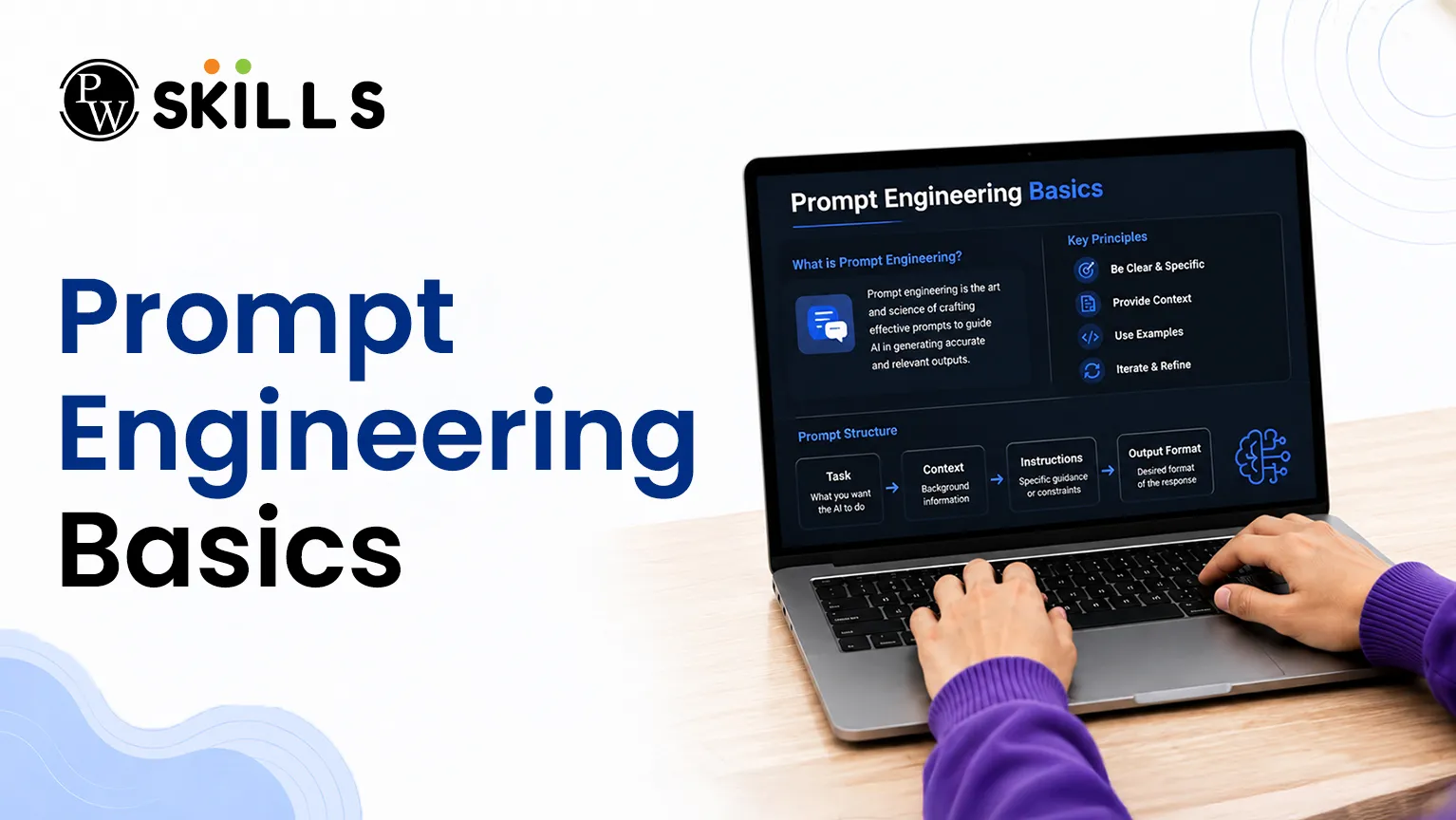
Students and working professionals frequently struggle to get accurate outputs from modern generative AI tools. This happens because large language models require deliberate, structured communication to function effectively. Without a solid understanding of Prompt Engineering Basics, you waste valuable time through constant trial and error. Learning how to draft structured prompts removes the guesswork, transforming an unpredictable chat interface into a highly reliable digital assistant.
What Is Prompt Engineering Basics?
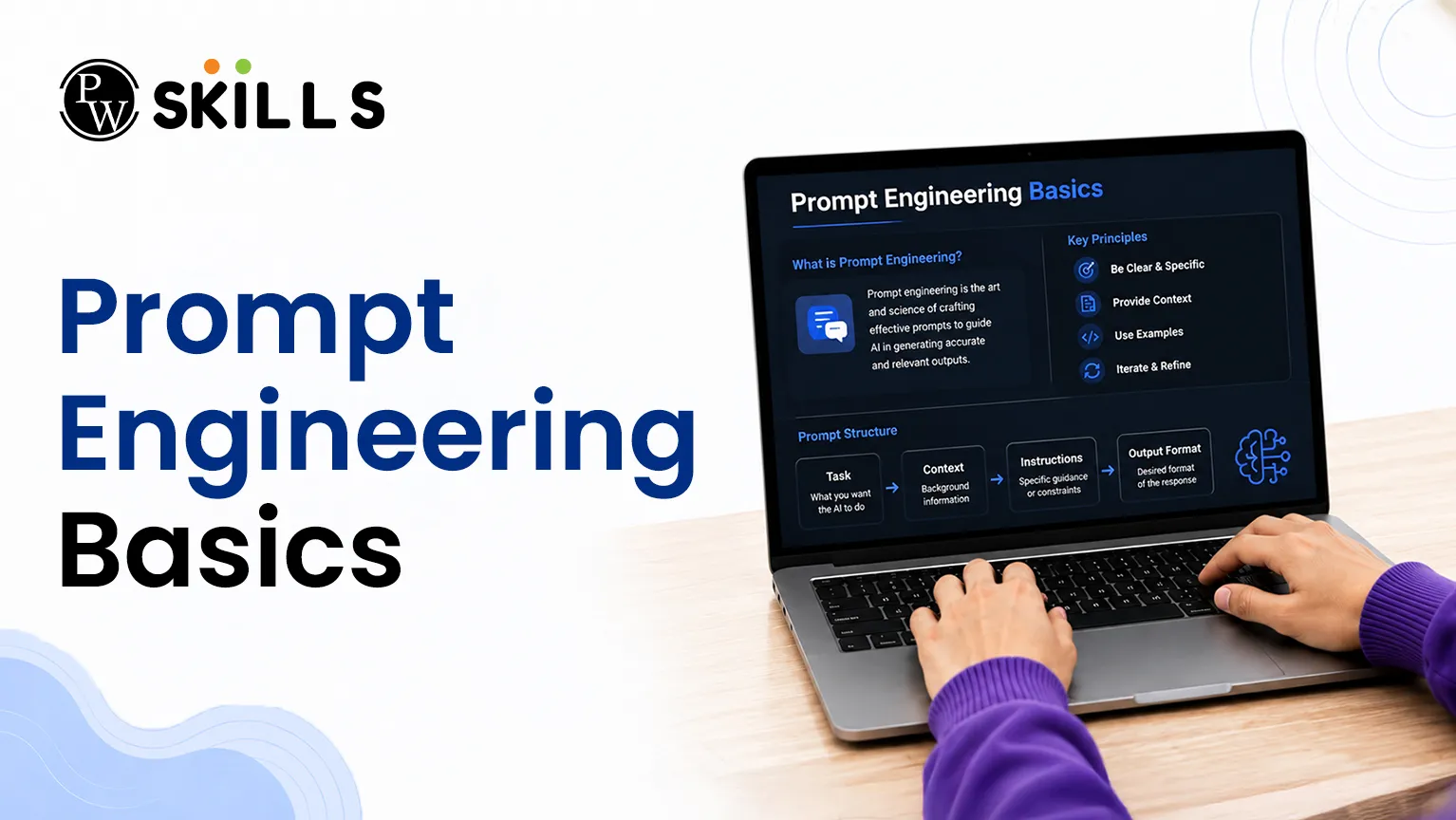
Basics of Prompt engineering is the process of writing clear instructions that help AI tools generate useful and accurate responses. It is both a skill and a method used to guide generative AI models toward the results you want.
Although AI can create content and answer questions like a human, it does not think or understand information the same way people do. It depends completely on the instructions, context, keywords, and formatting details provided in the prompt.
Learning Basics of Prompt engineering helps you give the AI a clear direction. Instead of receiving vague or general answers, you can guide the model to produce more specific, relevant, and helpful results.
This skill is important because well-written prompts improve accuracy, save time, increase productivity, and help you get better results without needing advanced technical knowledge. By creating clear and detailed prompts, you can unlock more powerful features and make AI tools work more effectively for your needs.
To create an effective prompt, you need to understand its core structural components:
-
Role/Persona: Telling the AI exactly who it should pretend to be (e.g., an expert data analyst or a friendly tutor).
-
Context: Providing background information, specific scenarios, or situational constraints.
-
Task/Goal: Giving a clear, direct instruction of what the AI needs to generate or solve.
-
Formatting Constraints: Specifying the desired output structure, such as bullet points, a markdown table, or a specific word count limit.
Frameworks and Techniques for Prompt Engineering Basics
To construct reliable prompts for AI, professionals rely on standardized frameworks that keep instructions organized and digestible for language models. Overloading an AI with unstructured details causes information overload, leading to diluted or inaccurate answers.
The CLEAR Framework
The CLEAR framework offers a highly practical mechanism to structure your everyday interactions with generative models:
-
Context: Set the scene or provide necessary background data.
-
Length: State explicitly how detailed or brief the final response must be.
-
Examples: Provide sample outputs so the model can easily replicate the desired style, tone, or format.
-
Audience: Define the target reader for the output to adjust the complexity of the vocabulary.
-
Role: Assign a specific persona or perspective to guide the underlying logic.
Essential Prompting Strategies
Depending on the complexity of your task, you can deploy different prompting methodologies to achieve the best results:
|
Technique |
Best Used For |
Primary Advantage |
Potential Disadvantage |
|
Zero-Shot Prompting |
Quick tasks, definitions, simple data classifications. |
Highly fast and token-efficient. |
Struggles with highly complex logic or strict formatting. |
|
Few-Shot Prompting |
Pattern replication, sentiment analysis, specific layouts. |
Enhances structural consistency via clear examples. |
Consumes more tokens; requires well-thought-out inputs. |
|
Chain-of-Thought (CoT) |
Math problems, logic puzzles, multi-step analysis. |
Drastically improves logical accuracy via step-by-step reasoning. |
Generates longer, more expensive outputs. |
Advanced variations like tree-of-thought prompting expand upon these steps by searching multiple potential paths simultaneously, while generated knowledge prompting forces the AI to output relevant facts first before answering a complex question.
How to Use Prompt Engineering Basics at Work
Using AI in your daily work is about more than using simple online chat tools. To improve productivity, many businesses now use tools like Microsoft Copilot, which work directly inside workplace applications and help automate everyday tasks.
Microsoft Copilot acts as a smart workplace assistant. It combines large language models with your business data to help complete tasks faster, reduce repetitive work, and improve overall efficiency.
To get the best results, think of Basics of Prompt engineering as an ongoing conversation with the AI. You do not need to get the perfect answer from the first prompt. If the response is not exactly what you need, you can give additional instructions and ask the AI to make changes.
For example, you can ask the tool to rewrite content, change the tone, improve formatting, shorten a report, or add more details. Each follow-up prompt helps the AI better understand your requirements.
By using Basics of Prompt engineering and refining your prompts step by step, you can create more accurate results, save time, and make AI a valuable part of your daily workflow.
Best Practices for Copilot Interactions
-
Start Fresh for New Tasks: Always open a new conversation window when switching between completely different projects to prevent previous context from corrupting current results.
-
Be Highly Specific: Avoid abstract instructions like "fix this text." Instead, use direct directives such as "rewrite this email to be highly formal and add a section addressing project risks."
-
Establish Clear Formats: Explicitly tell Copilot if you want the final data displayed as a bulleted summary, an explicit step-by-step guide, or a structured markdown table.
How to Use Prompt Engineering Basics in Excel
Working with large spreadsheets, complex formulas, and large amounts of data can take a lot of time. Excel makes these tasks much easier by turning simple language instructions into automated actions.
Whether you want to clean data, find important business insights, calculate financial values, or create forecasts, using Basics of Prompt engineering helps Copilot understand exactly what you need and produce accurate results.
Basics of Prompt engineering for Data Cleaning
Cleaning spreadsheet data is one of the most common Excel tasks. With Copilot, you can use simple prompts to fix data problems quickly.
For example, you can enter a prompt like:
"Find all blank rows in the revenue column and fill them with the average value from that column."
This can save time and reduce the need for manual data editing.
Prompt Engineering Basics for Formula Creation
You no longer need to remember every Excel formula. Simply explain what you want to calculate, and Copilot can help generate the correct formula.
For example, you can use a prompt such as:
"Create a formula that gives a 10% bonus to employees whose sales are greater than 50,000 pounds."
This makes it easier to work with advanced calculations without writing formulas from scratch.
Prompt Engineering Basics for Finding Data Trends
Copilot can also help you discover important trends and patterns in your spreadsheet data.
For example, you can ask:
"Highlight the top 5% most profitable products in bright green."
This allows you to quickly identify key information and make better decisions based on your data.
Using Basics of Prompt engineering in Excel helps you work faster, reduce manual effort, and get more value from your spreadsheets."
|
Common Excel Goal |
Example AI Prompt |
Expected Copilot Outcome |
|
Extracting Text Trends |
"Analyze the comments column and extract the most common product complaints into a new three-item list." |
A concise summary of text trends. |
|
Complex Calculations |
"Create a new column calculating the month-over-month growth rate for our Q3 sales numbers." |
A newly generated column populated with the correct formulas. |
|
Quick Data Auditing |
"Highlight all duplicate transaction IDs in the sheet and sort them by date order." |
Instant visual formatting applied to errors. |
Prompt Engineering Basics Tips
The real benefit of learning Basics of Prompt engineering is knowing how to turn large and difficult tasks into small and easy steps. Instead of asking an AI tool to simply "create a financial report," it is better to break the task into clear instructions.
For example, you can first ask the AI to find the most important data, then create a simple comparison table, and finally write a short summary for managers or decision-makers. This step-by-step approach usually produces better results.
It is also important to keep testing and improving your prompts over time. Small changes in wording can often lead to more accurate and useful answers.
By refining your prompts and using clear instructions, you can build workflows that are more reliable, more consistent, and less likely to produce incorrect or misleading information. This helps you get better results from AI tools while saving time and effort.




FAQs
What are the basic parts of prompt engineering?
How does Excel with Copilot work with complex formulas?
Why should I use the CLEAR framework for AI prompts?
Can this Microsoft Copilot tutorial be used with other AI tools?
What is the difference between zero-shot prompting and few-shot prompting?






Get Free Counselling Today
and Clear up all your Doubts
 Live & recorded classes available at easeDashboard for progress trackingLakhs of practice questions

