

Content Pillars and Topic Clusters Strategy
 Nivedita Dar7 May, 2026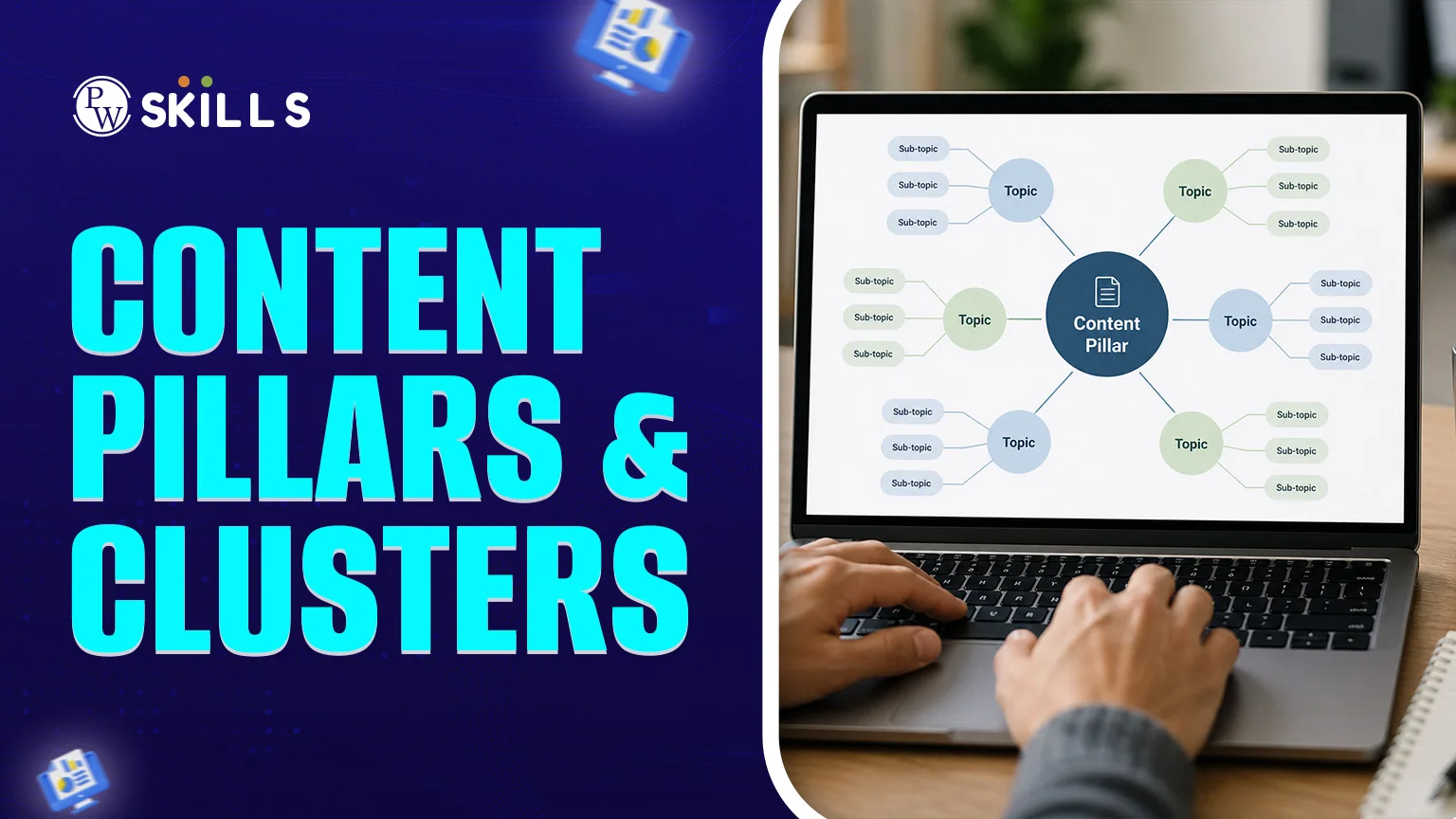
We no longer use keyword stuffing. In the digital age, students have trouble navigating through isolated blog posts to find the information they need. Here's where a Content Pillars & Clusters approach comes in. By structuring your expertise into natural clusters, you are solving the user's problem of disjointed content and telling search engines you are an expert in your field.
Learning how to create these clusters is essential for updating your SEO strategy and improving your search performance.
What is the Content Pillars & Clusters Model?
Content Pillars & Clusters is a way of organising information around a central topic. Rather than creating separate blog articles, you build a "hub and spoke" model.- Content Pillar: An overview page (the hub) that covers a general topic.
- Topic Clusters: Subtopic pages (the spokes) that explore niches within the pillar.
- Internal Hyperlinks: The "glue" that connects clusters back to the pillar and to each other, creating a web of relevance.
How Content Pillars and Clusters for SEO Work
Search engines like Google now prioritise context and intent over individual keywords. When you link multiple cluster pages (e.g., "Keyword Research", "On-Page SEO", and "Backlinking") to a single pillar page ("The Ultimate Guide to SEO"), you tell Google: "This website is an authoritative source for the entire topic of SEO."Content Pillars and Clusters Plan
Transitioning to a content pillars and clusters plan offers more than just better rankings; it transforms the way users interact with your brand.- Established Topical Authority: Covering a subject from every angle proves to search engines that you have deep expertise, which is a core component of Google's E-E-A-T (Experience, Expertise, Authoritativeness, and Trustworthiness) guidelines.
- Improved User Experience: The content pillars and clusters format is straightforward to navigate. Visitors can easily follow up on their related questions.
- Boosted Link Equity: If one of the cluster pages goes well and attracts backlinks, the internal links pass on the "SEO juice" to the pillar and other clusters.
- Reduced Bounce Rates: You keep the reader on your website longer by offering a clear path for them to follow (for example, from an overview to a tutorial).
Content Pillars and Clusters Strategy
The secret to making a content pillars and clusters strategy successful is to shift the focus from "What should we write today?" to "How will this piece fit in our ecosystem?"1. Map Out Your Cluster Subtopics
Use the content pillars and clusters guide to find "long-tail" keywords. These are the subtopics or questions you have about your pillar.- Pillar: Digital Marketing
- Clusters: Email marketing tips, SEO for beginners, how to run Google Ads, and social media algorithms.
2. Create the Pillar Page
Turn the pillar page into a "landing page". This page doesn't need detail, but every sub-topic should be mentioned and linked to the more detailed clusters. Create a pillars and clusters template with the following:- Clear H2 and H3 headings.
- Summary or table of contents for easy navigation.
- Placed calls to action (CTAs).
3. Interlink with Purpose
All pages in the cluster must link to the pillar. This is the key to the content pillars & clusters structure. Make sure you use descriptive anchor text - use "read more: content pillars & clusters" instead of "click here". Content Pillars and Clusters Template When building your framework, use this content pillars and clusters template to ensure you haven't missed any vital components.Pillar Page Structure (The Hub)
- H1 Header: Comprehensive title including the broad topic.
- Intro: Quick overview of the topic (150 words).
- Table of Contents: Anchor links to various sections of the page.
- Sub-sections (H2/H3): Short descriptions of different sub-topics.
- Hyperlinks: External links to the various "Cluster" pages.
- CTA: Invitation to sign up for the newsletter or lead magnet.
Cluster Page Structure (The Spokes)
- H1 Header: Title for a long-tail keyword.
- Body Content: In-depth content on the sub-topic (800+ words).
- The "Return" Link: A large link to the main pillar page.
- Related Links: 1-2 links to other cluster pages.
Content Pillars and Clusters Examples
To see how the model works, we'll look to some of the industry's best practice examples:| Entity | Pillar Topic (Hub) | Cluster Examples (Spokes) |
| HubSpot | Inbound Marketing | Lead scoring, Content creation, CRM automation |
| Ahrefs | SEO Guide | Backlink building, Site audits, Keyword research |
| Educational Site | Algebra 101 | Linear equations, Factoring, Quadratic formulas |
Benefits of the Pillar-Cluster
The benefits of content pillars and clusters go beyond improving your rankings; they also enhance the user experience of your website.- Established Topical Authority: Addressing a topic from all angles demonstrates to search engines that you are an authority on the subject, which is part of Google's E-E-A-T (Experience, Expertise, Authoritativeness, and Trustworthiness) guidelines.
- Improved User Experience: A content pillars and clusters structure is easy to navigate. Readers can easily find more content to answer their questions without leaving.
- Boosted Link Equity: If one of the cluster pages begins to rank and get backlinks, the links to the pillar and other clusters pass on the "SEO juice".
- Reduced Bounce Rates: If you guide the visitor in a logical manner (e.g., overview followed by the tutorial), you keep them on the site.
- Better Crawlability: It makes it easier for search engine spiders to find and index your content, so new content gets indexed quickly.
Also Check:
- Digital Marketing with AI Course
- Digital Marketing With AI
- Digital Marketing with AI + Social Media Marketing
- Digital Marketing with AI (Offline Batch)
- AI in Digital Marketing – The Ultimate Guide
- Digital Marketing Syllabus: Course, Duration, Fees
- How to Start a Career in Digital Marketing? Skills Required & Job Roles






🔥 Trending Blogs
FAQs
How many clusters should one pillar have?
There is no limit, but typically a robust strategy involves 5-10 or more cluster pages to establish authority with search engines.
Can a blog post be a pillar page?
Yes, an "Ultimate Guide" blog post, which is a long and in-depth post, is often the ideal pillar for a content pillars and clusters approach.
What is the difference between a pillar and a category?
A category is a general classification , while a structure is a specific, valuable page that links to and supports subtopics.
How do I choose keywords for my clusters?
Target long-tail keywords and questions. Create a content pillars and clusters guide to discover subtopics with lower competition but high relevance to your pillar.
How often should I update my pillar pages?
You should update your content pillars and clusters every 6-12 months to make sure all the internal links work and the content remains the "ultimate" in your field.


Talk to a counsellorHave doubts? Our support team will be happy to assist you!



Get Free Counselling Today
and Clear up all your Doubts
Talk to Our Counsellor just by filling out the form.
Join 15 Million students on the app today!
 Live & recorded classes available at easeDashboard for progress trackingLakhs of practice questions

