

CSS Pseudo-Classes Explained
Pseudo-classes in CSS are used to style elements on the basis of element state or position without adding any extra HTML classes. You can improve user experience dramatically by using a colon (:) and a keyword to create interactive features such as hover effects, buttons that change when you click them, and dynamic list styling.
 Study Abroad30 May, 2026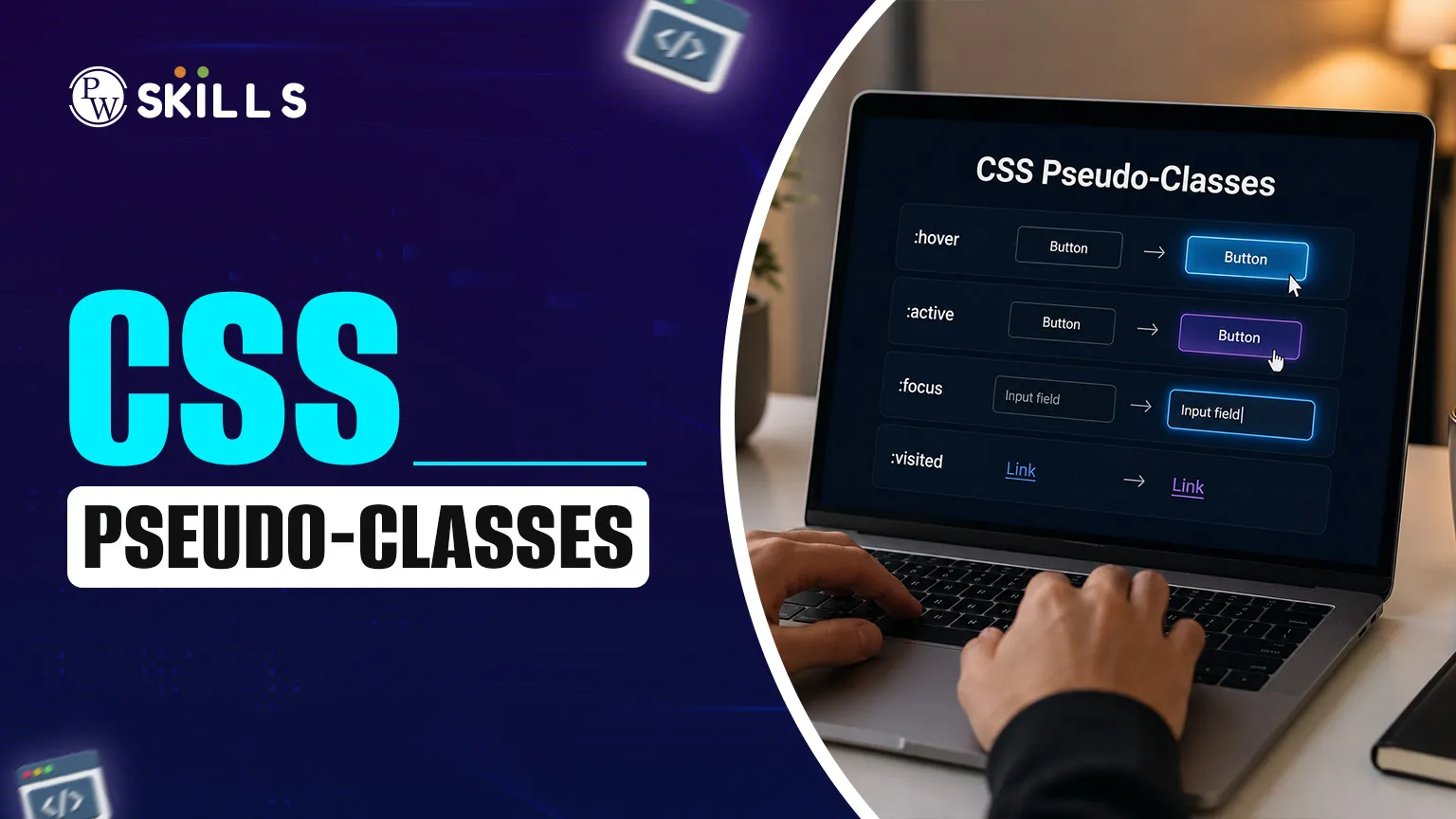
A pseudo-class is a keyword added to a selector that targets an element’s special state or condition. Unlike regular CSS classes, pseudo-classes are applied automatically by the browser based on user interaction or document structure. For example, button: hover styles a button only when the user hovers over it, making CSS cleaner and reducing the need for JavaScript.
This CSS pseudo-classes article will teach you how to use these selectors to create responsive, professional-looking web designs with as little code as possible.
Why Use CSS Pseudo-Classes?
For a new developer, making a website feel alive is a common struggle. You might know how to change a background colour, but making an element react when a user interacts with it often feels like it needs complex JavaScript.
That’s where CSS pseudo-classes come to the rescue. They provide an easy, native way to apply styles only when specific conditions are met, such as hovering over a link or clicking a button.
Common CSS Pseudo-Classes for Beginners
If you want to learn how to style websites, you need to know the most common selectors used in modern development. Most interactive elements use a small set of keywords addressing user input and structural positioning.
Commonly used pseudo-classes include:
-
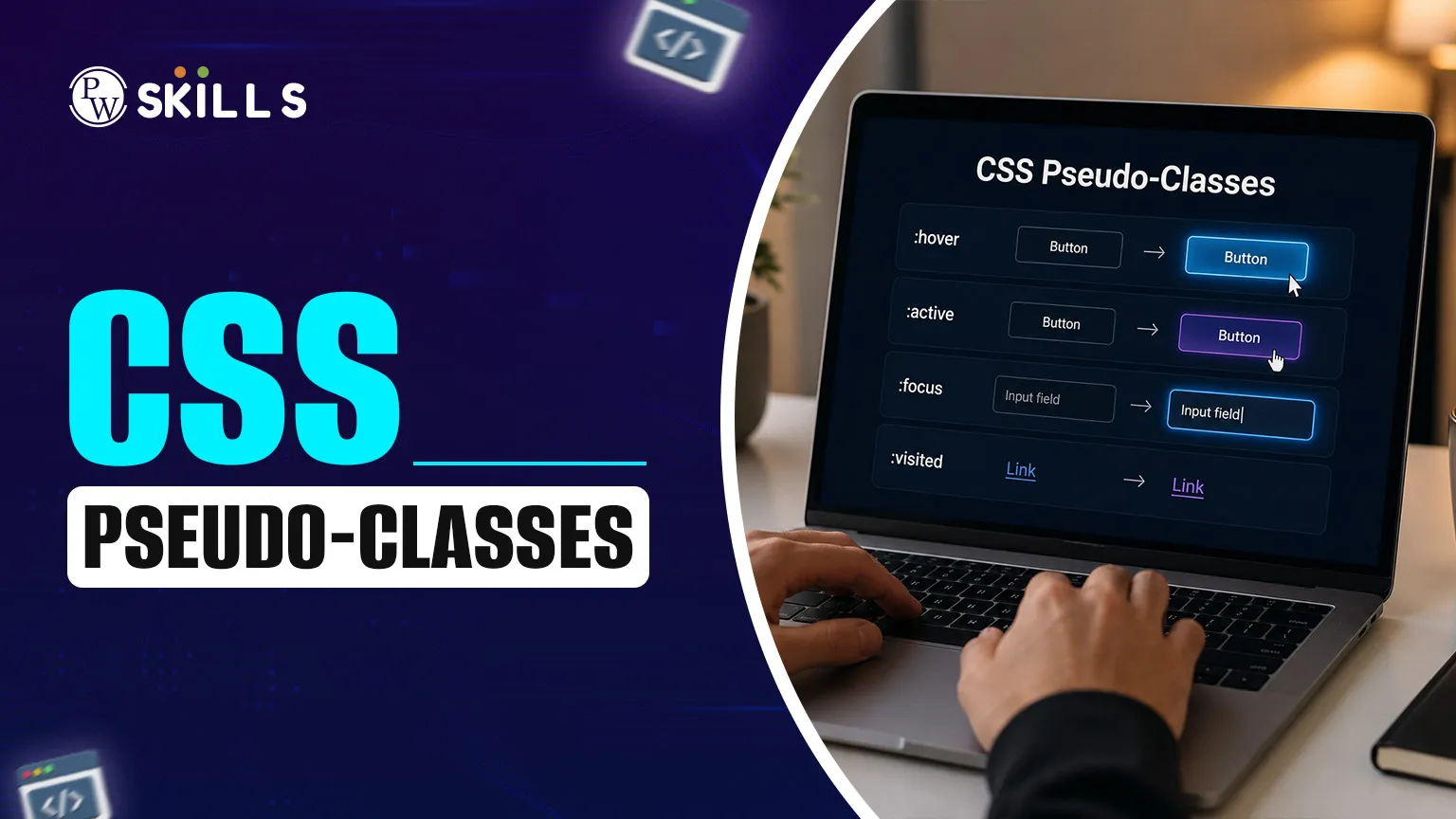
:hover – Targets an element when the user points at it.
-
:active – Targets an element at the moment it is being clicked.
-
:focus – Used when an element, like an input field, is selected or ready for typing.
-
:visited – Specifically for links that the user has already clicked.
-
:first-child – Selects an element that is the first child of its parent.
-
:nth-child(n) – A powerful tool for selecting elements based on their order in a list.
CSS Pseudo-Classes Examples and Syntax
Seeing these selectors in action helps clarify how they transform a static page into an interactive one. In this css pseudo classes tutorial, we look at how different states change the visual hierarchy of a page.
Imagine a navigation menu. You want the links to change color when hovered, stay a different color if already visited, and show a border when tabbed into via a keyboard.
|
Selector |
Practical Application |
Visual Result |
|
a:link |
Unvisited web links |
Blue or default theme color |
|
a:visited |
Links already opened |
Purple or dimmed color |
|
a:hover |
Mouse pointer over link |
Color change or underline |
|
a:active |
Moment of the click |
Often turns red or "shrinks" |
Using these css pseudo classes basics ensures that users get immediate visual feedback, which is a hallmark of good web accessibility and design.
Benefits of CSS Pseudo-Classes
These selectors are for efficiency. You don't write lines of JavaScript to detect a mouse click, or to find the third item in a list; you let the browser do the heavy lifting. This results in faster load times and fewer bugs.
Mastering the css pseudo classes list will make it easier to build flexible layouts. You add a new item to a list, and your :nth-child styling adjusts automatically to include it. This is why CSS is the backbone of web presentation, with the “set and forget” approach.
How CSS Pseudo-Classes Like Hover, Focus, and Active Work
The order in which you write your CSS matters immensely when dealing with interactive states. There is a specific logic to how the browser interprets these styles. If you define :hover after:active, the hover style might override the active style unexpectedly.
The standard "LVHA-order" is a common rule used by developers to ensure consistency:
-
:link
-
:visited
-
:hover
-
:active
The focus state is equally vital, especially for accessibility. When a user navigates a site using a keyboard, the: focus pseudo-class highlights the current element. Without it, keyboard users cannot see where they are on the page. Combining css pseudo classes hover focus, and active styles ensures your website is usable for everyone, regardless of their input device.
CSS Pseudo-Classes for Dynamic Layouts
Beyond user interaction, CSS pseudo-classes can target elements based on their location within the HTML structure. This is incredibly useful for styling tables, lists, or grids without needing to give every single item a unique class name.
The nth-child() selector is one of the most versatile tools in this category. It allows you to select even or odd elements, or every third item in a list. This is often used for "zebra-striping" table rows to make them easier to read.
Other structural selectors include:
-
:last-child – Styles the very last item in a container.
-
:only-child – Applies styles only if the parent has no other children.
-
:not(selector) – A negation pseudo-class that styles everything except the specified element.
Advanced CSS Pseudo-Classes for Better Element Selection
Once you’re comfortable with the basics, you can start exploring functional pseudo-classes. They're like little functions inside your CSS. :lang(en) can style text differently based on the language attribute of the element.
The :is() and :where() pseudo-classes are a newer addition to help reduce repetition. Instead of writing a separate heading block inside each container, you can group them into one selector. This makes your stylesheet lean and sharp on core design goals.
CSS Pseudo-Classes in Forms
Forms are the primary way users interact with data on your site. Using CSS pseudo-classes can make these forms much more user-friendly by providing real-time validation feedback.
You can use the following selectors for form elements:
-
:required – Styles input fields that must be filled out.
-
:optional – Targets fields that are not mandatory.
-
:valid – Changes the border to green if the input matches the required format (like a proper email).
-
:invalid – Changes the border to red if there is an error in the input.
-
:disabled – Styles fields that the user cannot interact with currently.
This level of feedback guides the user through the process, reducing frustration and decreasing the likelihood of form submission errors.
Best Practices for CSS Pseudo-Classes Usage
When implementing these selectors, keep your code maintainable. Overusing complex selectors can make your stylesheet difficult to read and slow down the browser's rendering speed if the DOM is very large.
The following tips help improve your css pseudo classes usage:
-
Be Specific: Combine pseudo-classes with classes for better control, like .nav-link:hover instead of just a:hover.
-
Accessibility First: Always provide a visible :focus state for links and buttons.
-
Keep it Simple: Use structural pseudo-classes to avoid "classitis" (adding too many classes to your HTML).
-
Check Compatibility: While most modern browsers support these, always verify advanced selectors like :has() or :is() on compatibility charts.
By following these guidelines, you ensure that your code remains professional and your website remains functional across different browsers.
Common Mistakes to Avoid with CSS Pseudo-Classes
One frequent error is forgetting the colon or using a double colon by mistake. Remember that a single colon (:) is for a pseudo-class (a state), while a double colon (::) is for a pseudo-element (a specific part of an element, like::first-letter).
Another mistake is neglecting the mobile experience. Hover states do not exist on touchscreens. If your design relies solely on hover to reveal information, mobile users will miss out. Always ensure that the primary information is accessible without needing a mouse pointer.




FAQs
What are some common CSS pseudo-class examples?
How do I use the CSS pseudo-classes tutorial effectively?
Where can I find a complete list of CSS pseudo-classes?
Is there a CSS pseudo-class guide for mobile?
What are the CSS pseudo-class basics I must know?





 Live & recorded classes available at easeDashboard for progress trackingLakhs of practice questions

