Python tuples are data structures used to store multiple values inside it which are immutable and cannot be modified once defined with values inside. We can use this data structure to store sensitive data information which we want not to be altered by anyone without the authority.
In this article, we will learn more about python tuples, how we can create a tuple, different operations we can perform on tuples, why they are immutable and more.
What are Tuples In Python?
Python tuples are a data structure used to store a collection of data in an ordered and immutable sequence of objects. You can store multiple values within a tuple separated with commas and enclosed within a rounded parentheses. The data items stored in Python tuples cannot be changed or modified once declared.
Python Tuples Key Takeaways
- Python tuples can be used to store multiple values of different data types together.
- Tuples in Python are written within round brackets.
- Anything listed within Python tuples are in ordered format and immutable i,e. They cannot be changed or modified.
- Python tuples support any data types whether it is an integer, float, boolean, string, or other.
For example, let us check some of the popular examples of Tuples in Python programming.
| ( ) → This is an empty Python Tuple
(1, 2, 3, 9, 8) → Tuple containing integer values
( ‘Ankit’, ‘Bella’, ‘Shreya’, ‘Aman’) → Python tuples containing string objects
(‘10’, false, 20, 11.1) → Python containing integer, boolean and float values. |
In Python Tuples, you can also put lists and tuples together easily. Let us watch an example. We can easily access elements in this tuple with the print statement in Python.
| mixed_tuple = (42, "Hello", [1, 2, 3], (4, 5, 6))
print(mixed_tuple) |
What is Immutable in Python?
Python tuples are immutable which means they cannot be changed once assigned with values. We can easily access elements in tuples with the help of their index-like lists; however , we cannot change or modify the values within Python tuples once we create and define their values. Tuple size can also not be extended or appended with any values after declaring.
We can also not remove any item from tuple once it has been listed in the Python tuple. Let us try to perform the following functions to verify whether Python is exactly immutable or not.
| tup = ( 2, 5, 7, 2, 3, 9)
print (tup[2])
print (tup[5])
# let us try to put elements inside tuple
tup[1] = 99print (tup) |
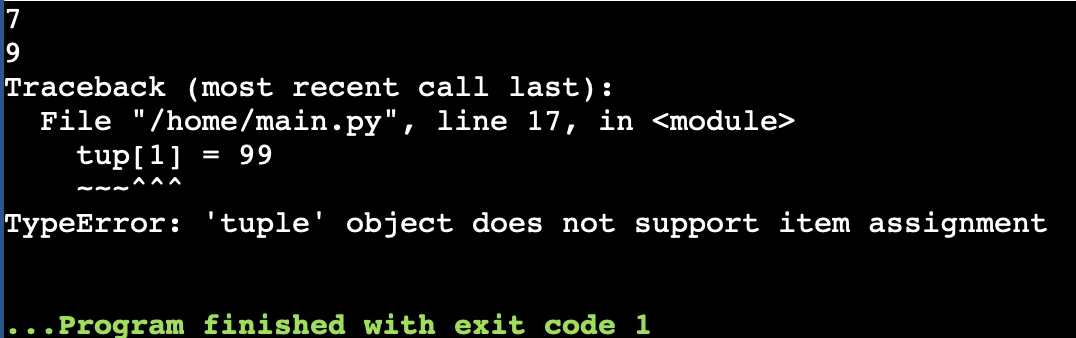 We can easily see the error when trying to assign a value in the tuple which says that “object does not support item assignment”. This proves that the Python tuples are immutable.
Tuples type( )
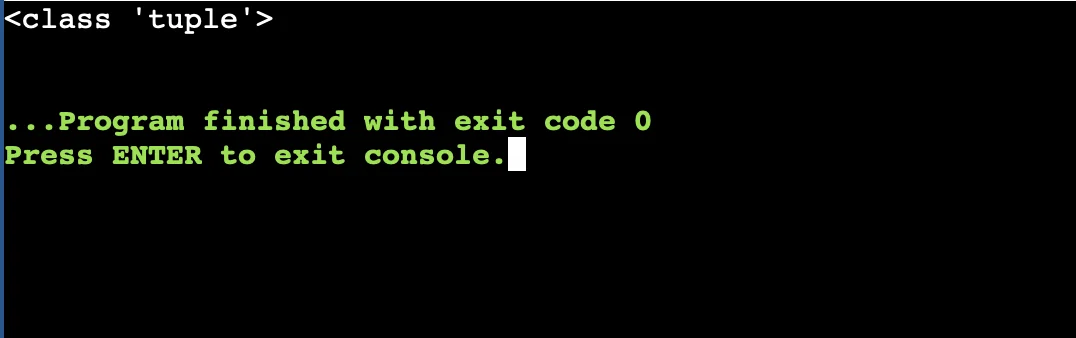
Python tuples are objects and defined with the data type ‘tuple’. When you use the ‘type()’ method along with the tuple name you will see the tuple types. For example, let us take a tuple example as we took above with integer values. Can you predict the data type of the tuple? Will it be an integer or object?
| tup = ( 2, 5, 7, 2, 3, 9)
print( type(tup)) |
What is a Python Tuple Constructor?
A Python tuple constructor can be used to create a tuple function and list data items inside. A ‘tuple()’ constructor can be used to create a tuple to form an iterable data structure.
| tuple ( data items) # tuple constructor |
We can even create an empty tuple using the tuple () constructor function. Let us understand with an example below.
| empty_tuple = tuple()
print(empty_tuple) |
Creating Python Tuples from Different Data Structures
Let us use different data structures such as set, string, dictionary to create tuples easily. We will understand making tuples from different data structures below.
Note: The tuple() constructor can be used to convert different data types in tuple format.
Creating Tuple from List
| my_list = [1, 2, 3]
tuple_from_list = tuple(my_list)
print(tuple_from_list) |
Creating Tuples from a String
| my_list = [1, 2, 3]
tuple_from_list = tuple(my_list)
print(tuple_from_list) |
Creating Tuples from a Set
| my_set = {10, 20, 30}
tuple_from_set = tuple(my_set)
print(tuple_from_set) # Output: (10, 20, 30) (Order may vary) |
Creating Tuples from a Dictionary
| my_dict = {'a': 1, 'b': 2, 'c': 3}
tuple_from_dict = tuple(my_dict) # Converts keys to a tuple
print(tuple_from_dict) |
Different Operations in Python Tuples
Let us check different operations that can be performed in tuples using Python.
Iterating Tuple Items
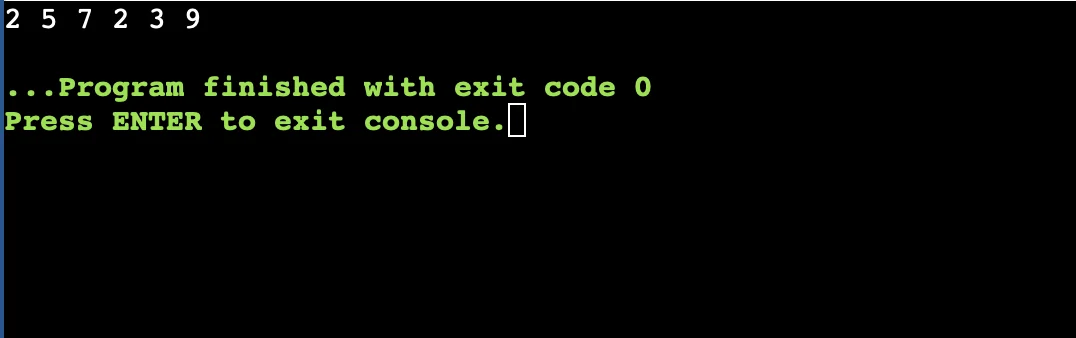
We can easily iterate python tuples using a simple loop. Let us understand how we can do so with the help of an example below.
| tup = ( 2, 5, 7, 2, 3, 9)
for x in tup:
print (x, end= " " ) |
Concatenation of Python Tuples
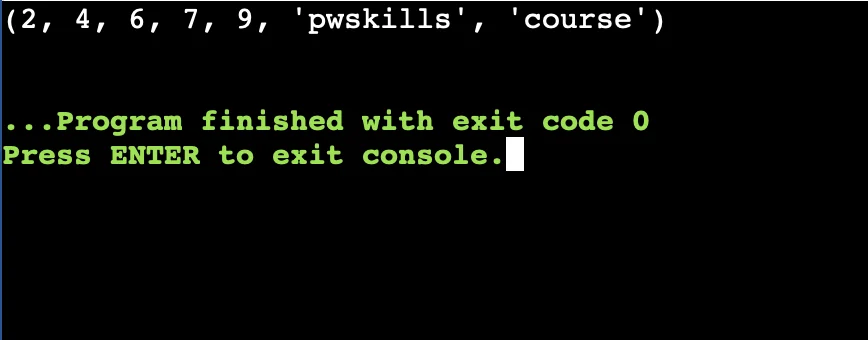
Concatenation is adding two tuples together with a (+) operator. Let us understand how it works.
| tup = ( 2,4,6,7,9)
tup1 = ("pwskills", "course")
print (tup + tup1) |
Python Tuples Nesting
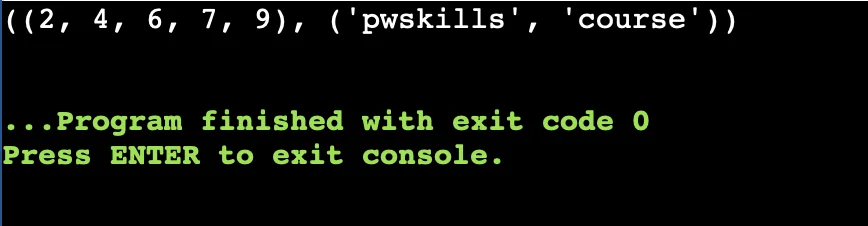
A nested python tuple is a tuple within a tuple i,e. A tuple inside another similar tuple. Let us understand this with the help of a simple example.
| tup = ( 2,4,6,7,9)
tup1 = ("pwskills", "course")
tup2= (tup, tup1)
print (tup2) |
Slicing operation of Tuples in Python
We can easily divide a tuple into small parts by slicing it from its index. Let us take a simple tuple and slice it from the first index to the last index. We will also take an example where we slice the tuple and print it using reverse indexing and the next will be a simple slicing and printing of the tuple.
| tup = ( 2,4,6,7,9)
print (tup[1: ])
print (tup[ :: -1] )
print (tup[2:3]) |
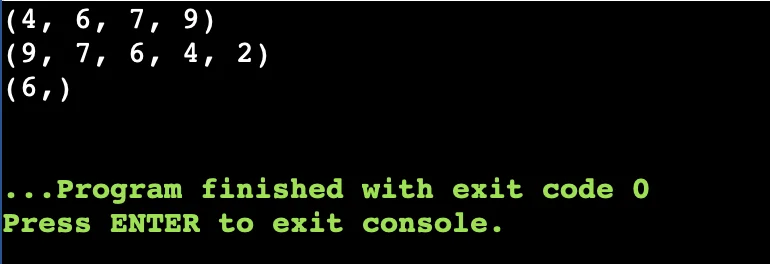 You can see the result where the python tuple is sliced from the first index to the last index and in the next expression it gets printed from the last index to the zeroth index. It also prints one element in between the index 2 and 3 i,e. 6.
Delete a Tuple In Python
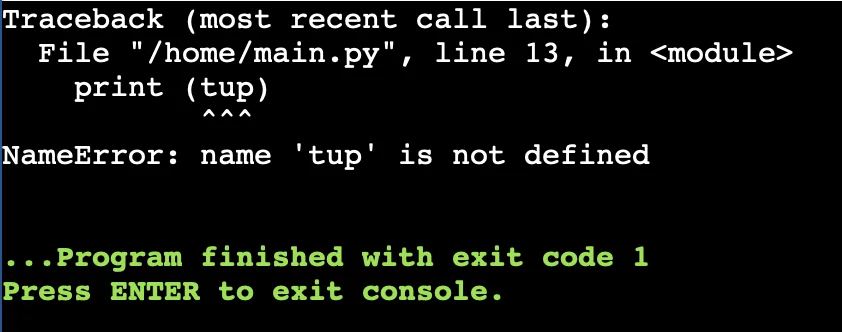
We can also delete a tuple in Python easily with the “del” keyword where the tuple assigned memories will be removed and if we try to print it will show us a name error in return.
| tup = (2,4,5,6,8,9)
del tup
print (tup) |
Length of the Python Tuple
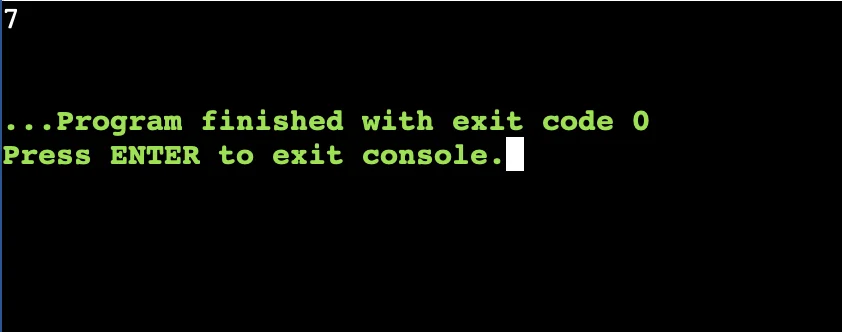
We can find the length of a tuple using the “len” keyword which will give us a numerical output depicting the size of the tuple.
| tup = (2,4,5, “pwskills”,6,8,9)
print (len(tup)) |
Different Methods of Creating a Tuple in Python
We can use different methods to create a Python tuple easily check below some of the popular methods.
Using tuple constructor
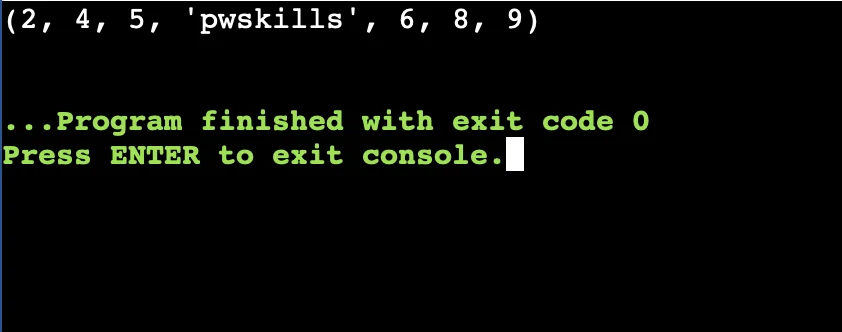
We can use the tuple () constructor to create a tuple with data elements inside easily. Let us check a simple example to understand this method.
| tup = tuple([2,4,5, “pwskills”,6,8,9])
print (tup) |
Using Round Bracket
We can simply define a tuple data structure in Python by using a round bracket to enclose the elements inside. Let us understand it with the help of an example. It will give the tuple elements enclosed within a round bracket as an output.
| tup = (2,4,5, “pwskills”,6,8,9)
print (tup) |
With Comma Separation
We can generate a tuple in python using commas and without using brackets too. We will also not use any specific keywords to define tuples here. This will also print all elements on the output screen as a tuple with bracket.
| tup = 2,4,5, “pwskills”,6,8,9
print (tup) |
Using Tuple Packing
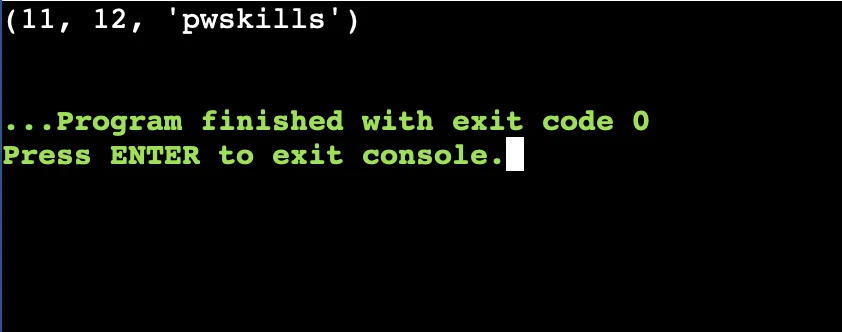
We can also use tuple packing to close all elements inside as a tuple. Let us create our tuple elements using the packing method.
| a, b, c = 11, 12, “pwskills”
tup = (a, b, c)
print (tup) |
Learn Python Programming With PW Skills
Become a skilled Python developer with the knowledge of Data Structures in Python. Get enrolled in PW Skills Decode DSA With Python Course and get in-depth tutorials, practice exercises, real world projects and more with this self paced learning program.
You will learn through industry oriented curriculum and prepare for competitive programming with this course. Get a industry recognised certification from PW Skills after completing the course.

 Varun Saharawat30 Oct, 2025









 Live & recorded classes available at ease

