
Python Code Examples With Solutions
 Varun Saharawat30 Oct, 2025
Building coding skills by solving Python Code Examples is very important. Python is rapidly growing especially in the last few years with advancement in technologies like Artificial intelligence and machine learning.
The ability of Python Programming Language to integrate with these technologies and help in building sustainable and helpful software solutions is the major reason for its advancement in a few years.
Let us know some of the cool Python Code Examples to help you solve complex problems within seconds.
Also Read 💡 : Deutsche Bank Internship in India: Role, Eligibility, Stipend 👈
Python Programming Examples with Solutions
The Python Programming language consists of a variety of libraries and frameworks for various complex tasks in the world of programming. Knowing these frameworks will help you become a better programmer in the future. Let us start with some cold python code examples below.1. Tuples
Tuple is an in-built data type of Python programming language which is used to store different collections of data. Tuples are immutable objects unlike lists which cannot be changed or modified once defined. They are more efficient in memory storage than other languages' data types like dictionaries, sets, lists, etc. Tuple is enclosed within round brackets (“ ”)Also, check What is Numpy Library in Python Language?
| # Creating a tuple tuple_example = (1, 2, 3) print(tuple_example) # Output: (1, 2, 3) print (tuple_example[1]) #Output: ‘2’ print (tuple_example[0]) #Output: ‘1’ |
2. Slicing
Slicing in Python is used to access a content specific part within a sequence, such as list, tuple, or string. The syntax for slicing contains three important parameters i,e. start, stop, and step sequence[start:stop:step] The given example below represents a list of various options that can be performed.| my_list = [0, 1, 2, 3, 4, 5, 6, 7, 8, 9] # Slicing with only start, stop slice1 = my_list[2:6] # Slicing with start, stop, and step slice2 = my_list[1:8:2] # Slicing from the start to a specific position slice3 = my_list[:5] # Slicing from a specific position to the end slice4 = my_list[5:] # Slicing with a negative step to reverse the list slice5 = my_list[::-1] print("slice1:", slice1) # Output: [2, 3, 4, 5] print("slice2:", slice2) # Output: [1, 3, 5, 7] print("slice3:", slice3) # Output: [0, 1, 2, 3, 4] print("slice4:", slice4) print("slice5:", slice5) # Output: [9, 8, 7, 6, 5, 4, 3, 2, 1, 0] |
| nested_tuple = (1, (2, 3), (4, 5, 6)) print(nested_tuple) # Output: (1, (2, 3), (4, 5, 6)) print(nested_tuple[1][1]) # Output: 3 |
| # Function returning a tuple def get_student_info(): name = "John" grade = "A" age = 20 return name, grade, age # Returns a tuple student_info = get_student_info() print(student_info) # Output: ('John', 'A', 20) |
3. Using Alias
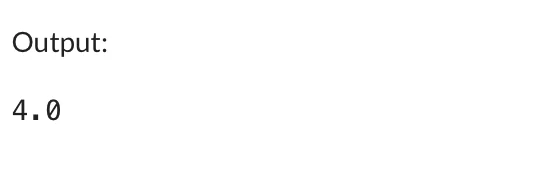
Python supports Classes and objects and you can easily assign an object to an identifier and when you assign one identifier variable to another identifier variable both of them reference to the same object.| import math as m print(m.sqrt(16)) # Uses `m` as an alias for `math` |
5. ‘Not’ Operator
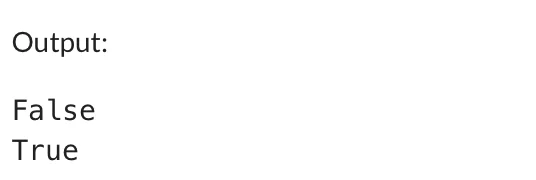
The Not operator in Python is a logical operator used to return true if the expression is false. It inverts the truth value of the expression and objects in python.Also, check, What is Matplotlib in Python?
| x = True y = False print(not x) print(not y) |
6. End Parameter in Print Function
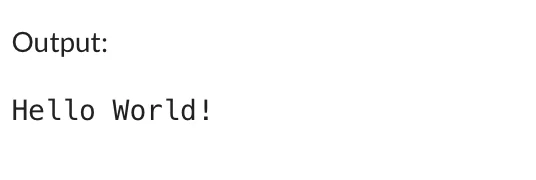
The end parameter is used to specify the end subject when displayed using a print statement. The default value of end is “/n” which tells Python to get to a new line. Check Python code examples below in the table.| print("Hello", end=" ") print("World!") |
7. Merge Dictionaries
You can merge to different dictionaries using the bitwise OR operator or simple Update() method in Python. Check Python code examples below in the table| dict1 = {"name": "Alice", "age": 25} dict2 = {"city": "New York", "job": "Engineer"} dict1.update(dict2) print(dict1) |

8. Ternary Operator/ Conditional Expressions
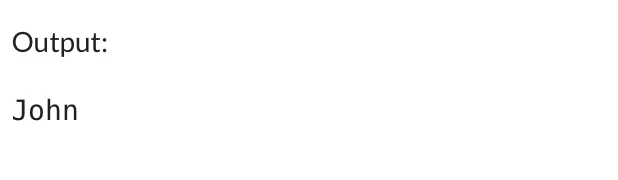
The ternary operator (also called a conditional expression) allows you to evaluate an expression based on a condition. It's a concise alternative to a traditional if-else statement. Here, if the condition is True, "John" is assigned to name; otherwise, "Doe" would be assigned. Check the Python code examples below in the table| condition = True name = "John" if condition else "Doe" print(name) |
Example 9 Remove Duplicates From Lists
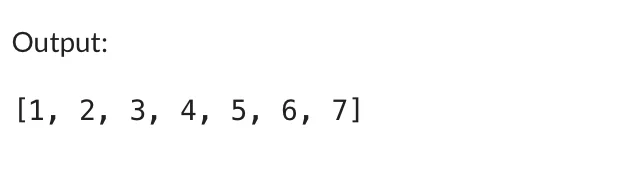
You can easily remove duplicates from Python code by converting the list to a set, we automatically remove any duplicate values since sets do not allow duplicates. Then, we convert the set back to a list to maintain the list data type.| a = [1, 1, 2, 3, 4, 5, 5, 5, 6, 7, 2, 2] print(list(set(a))) |
Example 10: The Setdefault Method
The setdefault() method checks whether a key exists in the dictionary. If the key doesn't exist, it adds the key with a specified default value (in this case, 0). Then, the count for each word is incremented. Check Python code examples below in the table| import print text = "It's the first of April. It's still cold in the UK. But I'm going to the museum so it should be a wonderful day" counts = {} for word in text.split(): counts.setdefault(word, 0) counts[word] += 1 pprint.pprint(counts) |
| {'April.': 1, 'But': 1, "I'm": 1, "It's": 2, 'UK.': 1, 'a': 1, 'be': 1, 'cold': 1, 'day': 1, 'first': 1, 'going': 1, 'in': 1, 'it': 1, 'museum': 1, 'of': 1, 'should': 1, 'so': 1, 'still': 1, 'the': 3, 'to': 1, 'wonderful': 1} |
Python Code Examples with Output
Let us learn some of the popular python problems frequently asked during many interviews and in university exams of Python. Let us check some of the frequent python coding examples.Example 1: Basic Arithmetic Operations
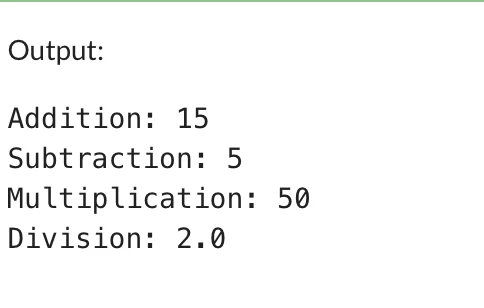
Given below are some simple arithmetic operations in Python such as Addition, subtraction, division, multiplication for beginners.| a = 10 b = 5 print("Addition:", a + b) print("Subtraction:", a - b) print("Multiplication:", a * b) print("Division:", a / b) |
Example 2: Using If-Else Conditions
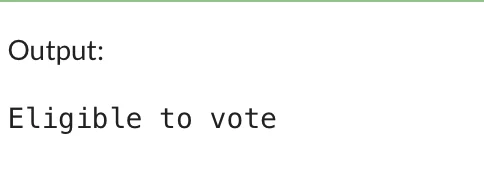
Check using Python code example, whether a person is eligible to vote based on age criteria.| age = 20 if age >= 18: print("Eligible to vote") else: print("Not eligible to vote") |
Example 3: List Operations
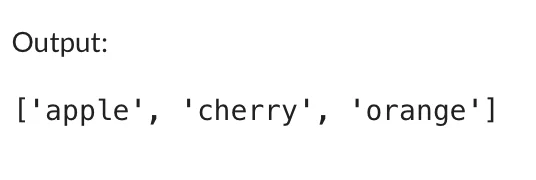
The example below demonstrates adding and removing items in a list, showing basic list manipulations.| fruits = ["apple", "banana", "cherry"] fruits.append("orange") fruits.remove("banana") print(fruits) |
Example 4: Dictionary Lookup
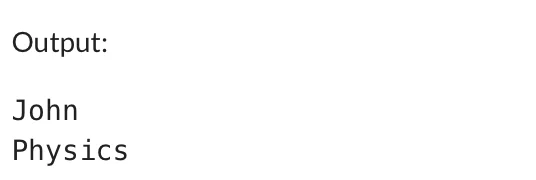
You can easily access values in a dictionary by key, showing how to use both [ ] notation and get method.| student = {"name": "John", "age": 22, "major": "Physics"} print(student["name"]) print(student.get("major")) |
Example 5: Function Definition
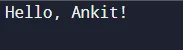
This Python code example defines a simple function greet that returns a personalized greeting message.| def greet(name): return f"Hello, {name}!" print(greet("Ankit")) |
Example 6: Lambda Function
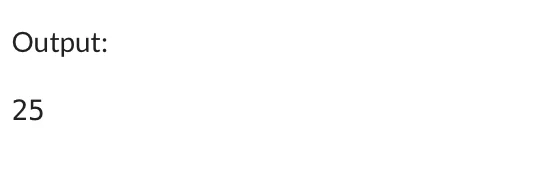
The Lamda Function calculates the square of a given number| square = lambda x: x * x print(square(5)) |
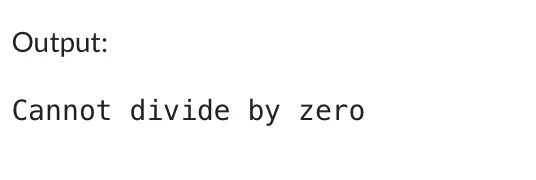
Example 9: Exception Handling
Handles a division by zero error gracefully using try-except method.| try: result = 10 / 0 except ZeroDivisionError: print("Cannot divide by zero") |
Example 10: Reading a File
It demonstrates how to open and read the content of a text file using Python.| with open("sample.txt", "r") as file: content = file.read() print(content) |
Python Code Examples PDF
If you’re learning Python and want a clean, downloadable reference, a Python Code Examples PDF is one of the quickest ways to revise key concepts. A PDF makes it easy to practice anywhere—whether you're offline, revising for an exam, preparing for interviews, or building your first project.
A good Python examples PDF usually includes:
-
Basic syntax and print statements
-
Variables and data types
-
Conditional statements
-
Loops (for, while)
-
Functions with simple use cases
-
Lists, dictionaries, and strings
-
File handling snippets
-
Beginner-friendly mini-projects
If you’re a visual learner, having a compact PDF helps you avoid scrolling through long tutorials. It works like a cheat sheet—perfect for quick revision, coding practice, and reference during project building. Many students and beginners prefer keeping a PDF handy while coding because it reduces confusion and boosts learning speed.
Python Code Examples for Beginners
If you're just starting your Python journey, working through simple code examples is the best way to build confidence. Python is known for its clean syntax, so even complete beginners can understand logic with very little effort.
Here are some essential Python examples for beginners:
1. Print Your First Line
2. Variables and Data Types
3. If-Else Condition
4. For Loop
5. Function Example
6. List Example
7. Dictionary Example
These examples help beginners understand the building blocks of Python. Once you’re comfortable with these basics, you can move on to file handling, object-oriented programming, and small beginner-friendly projects like calculators, to-do apps, or digital diaries.
Python Code Examples Copy and Paste
If you simply want ready-to-use Python code that you can copy and paste, this section is for you. These snippets are short, clean, and perfect for practicing without wasting time typing everything from scratch.
Here are some copy-paste friendly examples:
1. Check Even or Odd
2. Find the Largest Number
3. Reverse a String
4. Simple Calculator
5. Sum of First 10 Numbers
These copy-paste examples are great for practicing logic and understanding how Python code actually behaves when executed.
Python Code Examples for Practice
Practicing small code snippets is the best way to strengthen your Python skills. These examples help you understand loops, conditions, lists, and functions—everything you need as a beginner.
Try these Python practice examples:
1. Count Vowels in a String
2. Check if a Number Is Prime
3. Generate a Multiplication Table
4. Find the Factorial
5. Remove Duplicates from a List
These are simple but powerful examples that improve your logic and coding confidence.
Python Programs for Practice
If you want to take your learning a step further, try writing full Python programs, not just small examples. These beginner-friendly programs help you understand real-world problem solving.
Here are some Python programs you can practice:
1. Calculator Program
2. Number Guessing Game
3. Simple To-Do List Program
4. Temperature Converter
5. Countdown Timer
These programs help you move from beginner basics to intermediate-level coding skills.
Python Code Examples Hello World
Every programmer starts with a Hello World program. It’s the simplest way to check whether Python is installed and running properly on your computer.
Here’s the classic “Hello World” example:
This single line introduces you to Python’s clean and readable syntax. There are no complicated brackets or functions — you simply use the print() function to display text.
Using Variables With Hello World
Hello World Using a Function
These examples are perfect for beginners who are writing their very first Python program.
Python Code Examples with Solutions
If you want to practice Python logically, solving small coding problems is the best way to improve. Below are beginner-friendly examples with complete solutions.
1. Check if a Number Is Even or Odd
Code:
Solution:
2. Count the Number of Words in a Sentence
Code:
Solution:
3. Find the Maximum of Three Numbers
Code:
Solution:
4. Reverse a List
Code:
Solution:
5. Check if a String Is a Palindrome
Code:
Solution:
These examples help beginners understand the “why” behind the logic, not just the final output.
Python Code Examples for Interview
If you're preparing for coding interviews, technical tests, or campus placements, practicing Python interview questions is essential. These examples are commonly asked and test your understanding of logic, loops, strings, and functions.
1. Reverse a Number (Common Interview Question)
2. Check Armstrong Number
3. Fibonacci Series Up to N Terms
4. Remove Duplicate Characters from a String
5. Find the Second Largest Number in a List
These interview-style Python programs help you think logically and solve problems step-by-step — exactly what interviewers look for.
Learn Decode DSA with Python PW Skills
Build knowledge of Python Programming with PW Skills Self-paced Paced DSA Python Course. This course is specially curated for anyone who wants to learn Python Programming. Get a complete tutorial on data structures and algorithms with this course. Build a job ready profile under the guidance of experts and get industry recognised certification from PW Skills.



Python Code Examples FAQs
What Are Python Examples?
How to Code 1 to 100 in Python?
What Are the 33 Words in Python?
पायथन में 1 से 100 तक कोड कैसे करें?
क्या पायथन कोड सीखना आसान है?





Get Free Counselling Today
and Clear up all your Doubts
 Live & recorded classes available at easeDashboard for progress trackingLakhs of practice questions

